


Installing and setting up the “Send to FlightCheck” Automator Folder Action will create a Hot Folder that will send any files added to the supplied folder to FlightCheck. You can set up multiple Hot Folders directly through FlightCheck.
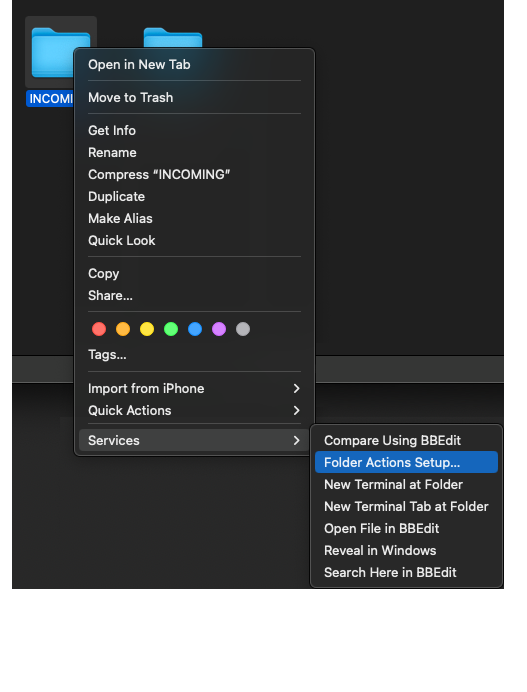
To manage your previously set up Hot Folders, you can right-click a Folder in the Finder and select “Services” then “Folder Actions Setup…”.
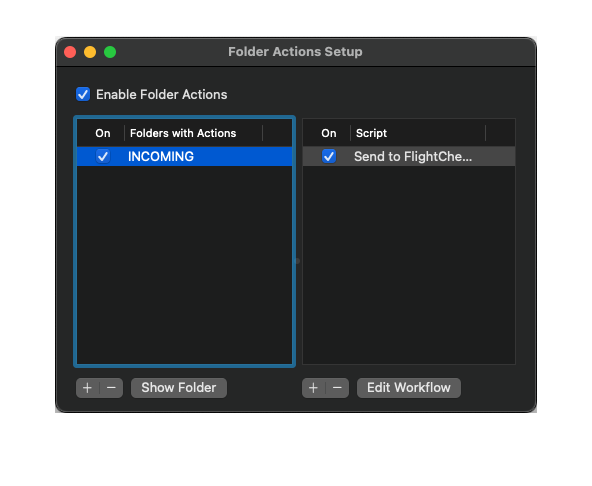
Once the Folder Actions Setup application has launched, you can view the Folders with Actions. From here you can disable any folders that you no longer wish to use.

Post your comment on this topic.