


About FlightCheck
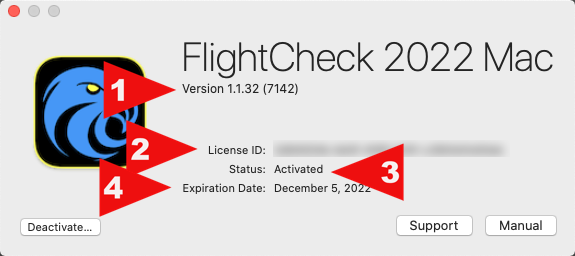
Brings up the About Window which shows
- The Version of FlightCheck
- Your License ID if you have purchased the full version of FlightCheck
- The Status of FlightCheck (Activated or Freebie)
- The Expiration information for your FlightCheck License

Check for Updates…
Checks the FlightCheck Express download server to see if a newer version of FlightCheck Express exists. If a newer version does exist, you then have the option to download and install it.
Preferences
Displays the FlightCheck Preferences Window (see the FlightCheck Preferences section for details).
Services
Displays Services provided by the macOS and other Applications that have registered with the macOS.
Hide FlightCheck
Hides the FlightCheck Application and all of its open windows. To Unhide FlightCheck, click on the FlightCheck icon in your macOS Dock, or do Command-Tab and select the FlightCheck icon.
Hide Others
Hides all open application windows except FlightCheck
Show All
This shows all hidden apps and windows (essentially the reverse of Hide Others)
Quit FlightCheck
Quits the FlightCheck application

Post your comment on this topic.