


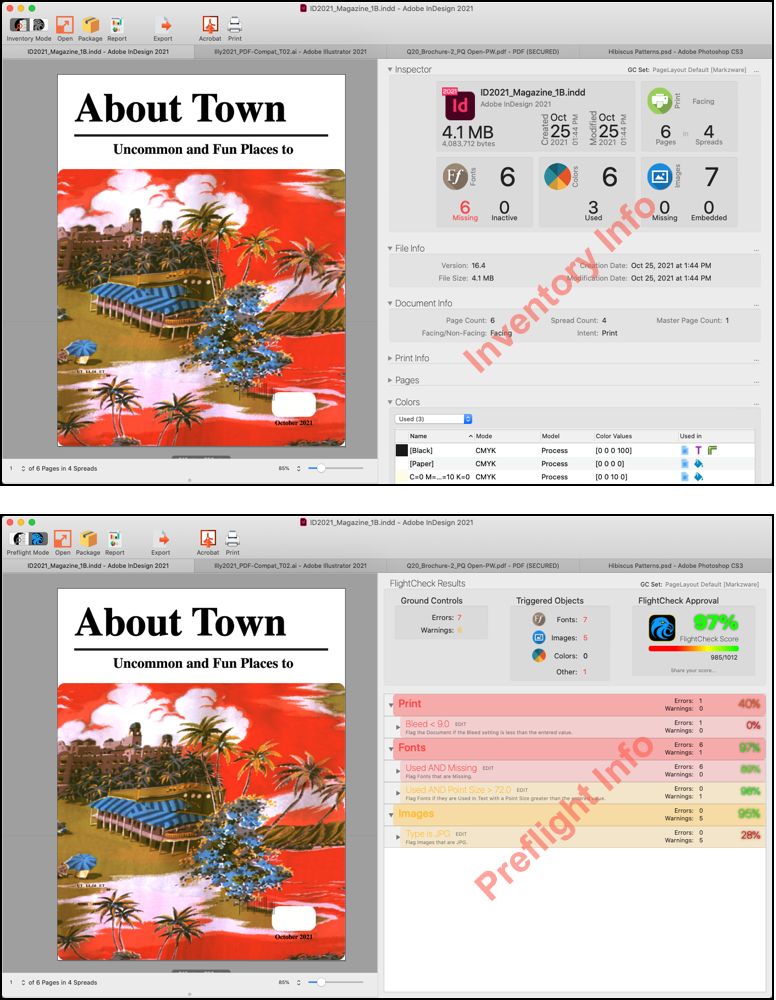
FlightCheck will display open files in one of two modes. Below are screen shots of the two modes. The two modes are Inventory Mode and Preflight Mode. By default FlightCheck displays files in Inventory Mode until you change to Preflight Mode.

Select the option that fits your workflow.
FlightCheck will display open files in one of two modes. Below are screen shots of the two modes. The two modes are Inventory Mode and Preflight Mode. By default FlightCheck displays files in Inventory Mode until you change to Preflight Mode.

Structured tools for opening, inspecting, converting, and reusing complex publishing documents.
Post your comment on this topic.