
Convert Microsoft Publisher to Affinity Publisher.
How to Convert Microsoft Publisher to Affinity Layout Studio
Affinity cannot open Microsoft Publisher .PUB files directly. MarkzPortal converts individual Publisher files to editable IDML, which can be opened in Affinity’s Layout Studio. For folders and larger Publisher archives, OmniMarkz or OmniMarkz SE can inventory and convert files locally on macOS or Windows.
Share this article
Video Timeline
- 00:00 – Introduction: Microsoft Publisher to Affinity Publisher
- 00:26 – Brief mention of the OmniMarkz desktop option
- 00:42 – Upload, preview and convert a Publisher file with MarkzPortal
- 01:39 – Open and review the converted file in Affinity Layout Studio.
According to Microsoft’s Publisher retirement announcement, Microsoft Publisher retired from Microsoft 365 on October 1, 2026, while support for perpetual Publisher versions ended October 13, 2026. Organizations should now inventory and migrate important .PUB files to maintain access to their content.
Choose the Right Microsoft Publisher Conversion Option
Choose the appropriate Markzware workflow based on the number of .PUB files and where processing should occur.
| Need | Recommended option | Platform | Result | Best suited for |
|---|---|---|---|---|
| Preview or convert one .PUB file | MarkzPortal | Web browser | Preview and editable IDML | Individual files |
| Inventory and convert multiple .PUB files | OmniMarkz or OmniMarkz SE | macOS or Windows | Inventory, reports and supported conversion outputs | Folders and archives |
| Open .PUB directly in Affinity | Not supported directly | Affinity | Convert to IDML first | Explaining the required migration path |
Note: Affinity does not open Microsoft Publisher .PUB files directly; convert them to IDML before opening them in Affinity.
One or a few Microsoft Publisher files?
Preview your .PUB file online and convert it to editable IDML for Affinity.
Larger folders or Publisher archives?
Use OmniMarkz or OmniMarkz SE to inventory, assess and convert multiple Publisher files locally on macOS or Windows.
Why Convert Microsoft Publisher Files to Affinity Layout Studio?
Microsoft Publisher has long been used to create brochures, flyers, newsletters, and other print materials. Affinity provides a modern page-layout environment, but it does not open Publisher .PUB files directly. Converting important Publisher files to editable IDML helps organizations preserve and continue working with their existing content in Affinity.
- Keep text, images, and layout elements available for continued editing.
- Reduce the time required to rebuild Publisher documents manually.
- Move important publications into a workflow that works on macOS or Windows.
- Review and update migrated documents for continued design and print production.
How to Convert Microsoft Publisher Files to Affinity Layout Studio
For users who prefer Affinity Layout Studio MarkzPortal converts Microsoft Publisher files to IDML, which Affinity Layout Studio can open for editing.
Step 1: Upload to MarkzPortal
1. Visit MarkzPortal and log in.
2. Upload your .PUB file using drag-and-drop or manual selection.
3. Get a Preview – MarkzPortal generates a file preview so you can review the document before selecting a conversion option.
4. Convert for Affinity Layout Studio – Select IDML as the export format and click Convert.
5. Download the Converted File – Once processing is complete, download the converted .IDML file.
Step 2: Open the Converted File in Affinity Layout Studio
1. Open Affinity and switch to Layout Studio.
2. Drag and drop the .IDML file into Affinity’s Layout Studio.
3. Check Fonts & Images – Replace missing fonts and ensure image resolutions are correct.
4. Make Final Edits – Adjust layout elements, edit text, or refine your design as needed.
You can now review and edit supported text, images, and layout elements in Affinity’s Layout Studio.
Why Use Markzware for File Conversion?
• Straightforward Workflow—Preview, convert and review the document before continuing in Affinity.”
• Editable Results — Helps retain text, images and layout elements for continued editing. Results may vary depending on the document’s complexity, fonts and formatting.
• IDML Output – Create an IDML file that Affinity can open for continued editing and review.
• Flexible Workflows – Use MarkzPortal for browser-based conversion or OmniMarkz for desktop inventory and batch processing.
Convert Larger Publisher Archives with OmniMarkz
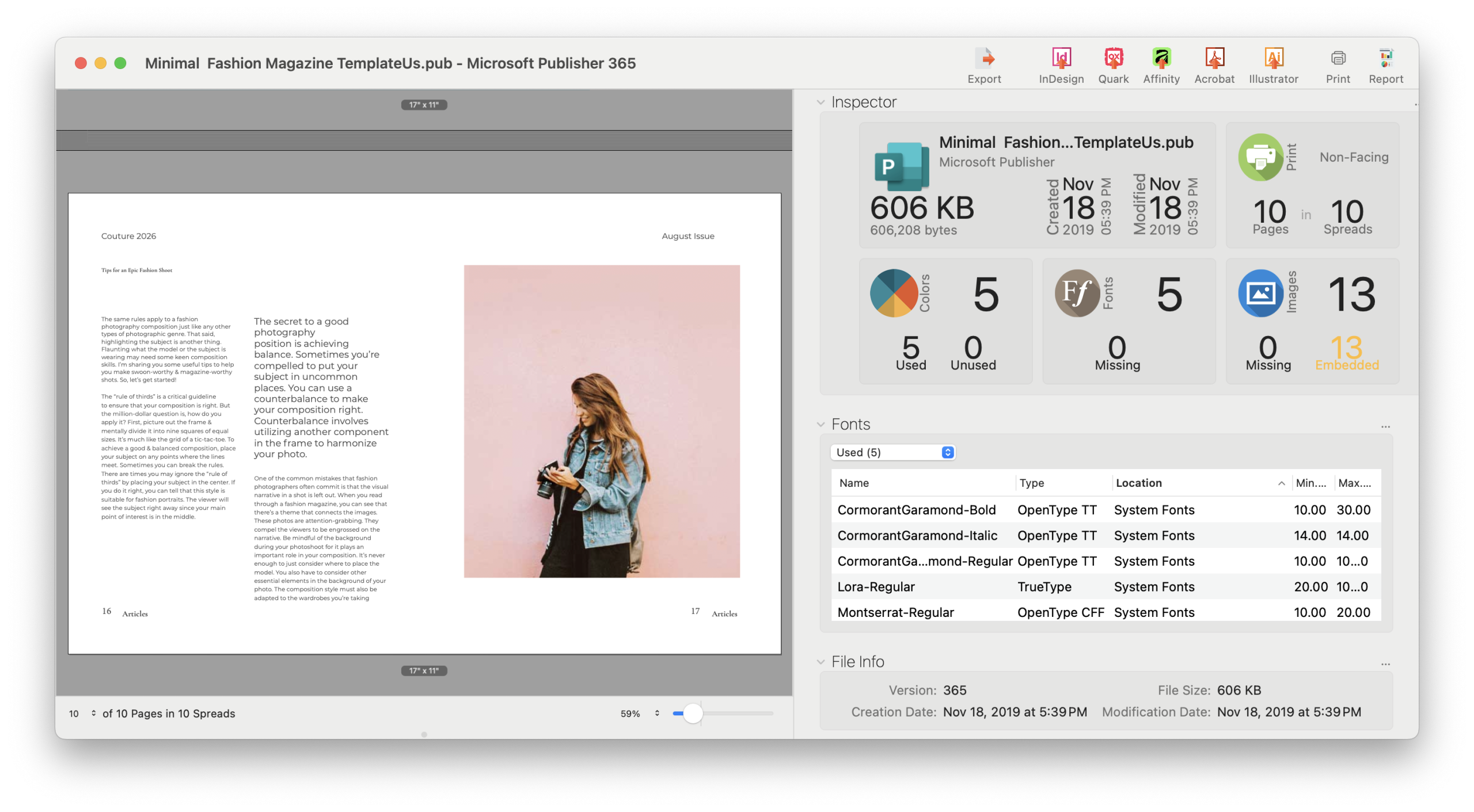
For folders and larger Publisher archives, OmniMarkz for macOS or OmniMarkz SE for Windows can preview, inventory, assess, and convert supported .PUB files locally. Open a Publisher file, review its document information, fonts, and images, and then export it to IDML for Affinity.
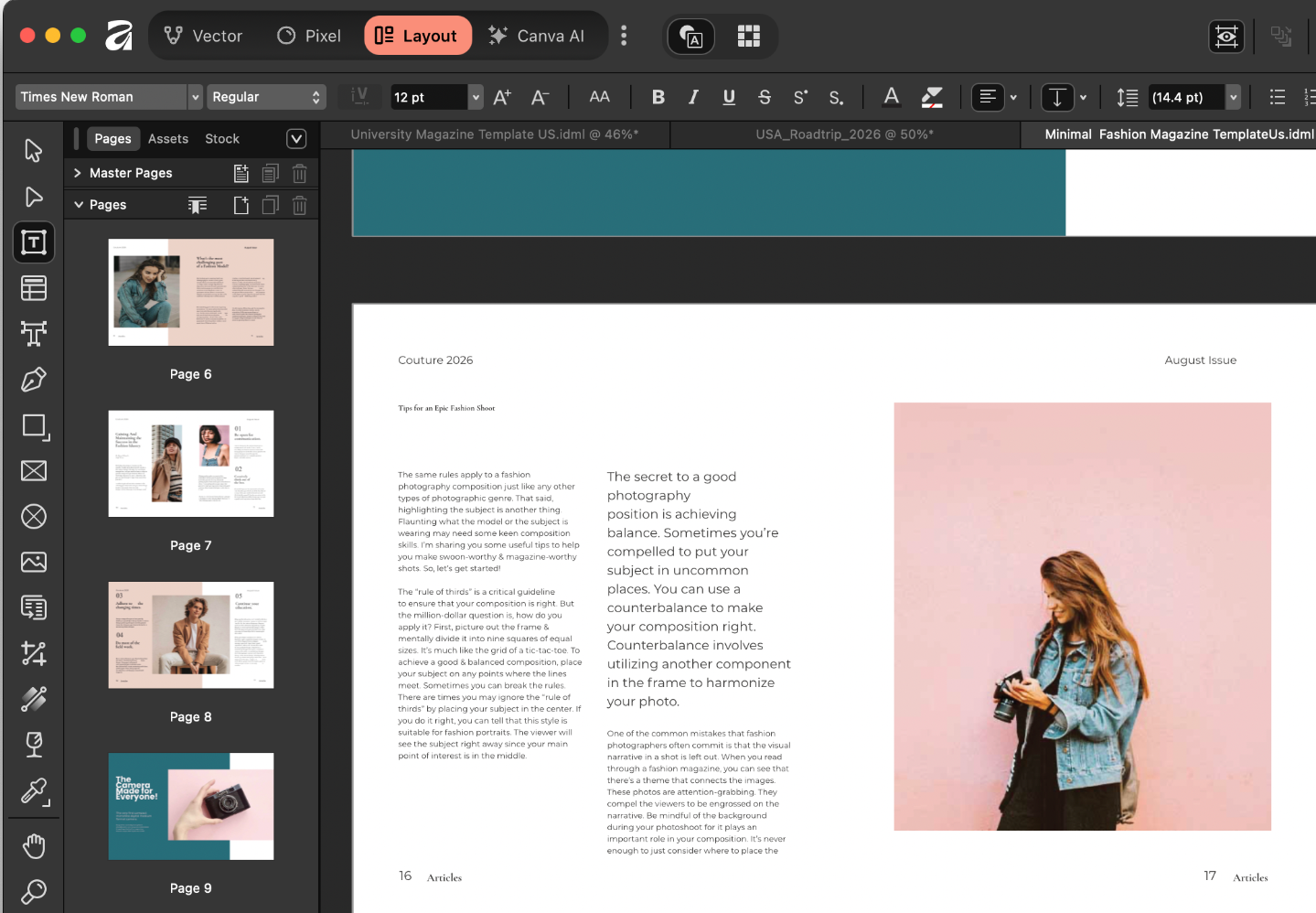
After exporting the IDML, open it in Affinity’s Layout Studio. Review the pages, fonts, images, text flow, master pages, and other layout elements before saving the converted document in Affinity’s native format.
Final Thoughts
MarkzPortal provides a browser-based conversion option for individual Microsoft Publisher files, while OmniMarkz supports local inventory and conversion workflows for larger folders and archives. After conversion, review fonts, images, text flow, master pages, and complex formatting before saving the document in Affinity.
Frequently Asked Questions
Can Affinity Layout Studioopen Microsoft Publisher files directly?
Affinity Layout Studio does not natively open Microsoft Publisher .PUB files. The Publisher file must first be converted to a compatible format, such as IDML, before it can be opened and edited in Affinity Layout Studio.
How do I convert a Microsoft Publisher file to Affinity Layout Studio?
Upload the .PUB file to MarkzPortal, preview the document, and convert it to IDML. Download the converted file and associated images, then open the IDML file in Affinity Layout Studio. Review the document before continuing your design work.
What is an IDML file?
IDML is an interchange format for page-layout documents. It can retain editable text, images, page elements, and layout structure from a converted Publisher document. Affinity Layout Studio can open IDML files for continued editing.
Will the converted document look exactly like the original Publisher file?
Conversion results depend on the document’s complexity, fonts, images, effects, and other elements. Much of the original content and layout can typically be retained, but every converted document should be reviewed. Check fonts, image placement, text flow, page dimensions, and other layout details before production or printing.
Do I need Microsoft Publisher installed to convert a PUB file?
No. MarkzPortal and OmniMarkz can preview and convert supported Microsoft Publisher files without requiring Microsoft Publisher to be installed. You will need Affinity Layout Studio to open and edit the resulting IDML file.
Should I use MarkzPortal or OmniMarkz?
MarkzPortal is designed for previewing and converting one or a few Publisher files online. OmniMarkz is better suited to inventorying, assessing, and processing larger folders or Publisher archives locally on macOS or Windows.
What happened to Microsoft Publisher in October 2026?
Microsoft Publisher retired from Microsoft 365 on October 1, 2026. Support for perpetual Publisher versions ended October 13, 2026, when Office LTSC 2021 and Consumer Office 2021 reached the end of support. Organizations should now inventory their remaining Publisher files and plan their migration.
REUSE YOUR CONTENT ONLINE
Bring Publishing Content to WordPress
Use the Design File to WordPress skill with OmniMarkz and a compatible AI agent to turn content from supported Publisher, InDesign, QuarkXPress, and PDF documents into editable WordPress drafts—with headings, paragraphs, and available images ready for review.
Follow the setup guide, connect your WordPress site, and try a sample publication. Review reading order, images, fonts, and layout before publishing; complex print designs may need adjustment for the web.
Creates drafts for review. Nothing is published automatically. The guide also covers InDesign, QuarkXPress, and PDF workflows.
Ready to Convert Microsoft Publisher Files for Affinity?
One or a few Microsoft Publisher files?
Preview your .PUB file online and convert it to editable IDML for Affinity.
Larger folders or Publisher archives?
Use OmniMarkz or OmniMarkz SE to inventory, assess and convert multiple Publisher files locally on macOS or Windows.

Subscribe for more AI and prepress workflow tips!
To get the latest news about Markzware products and print industry-related news, join our mailing list. You can also follow Markzware on X, LinkedIn, YouTube, Facebook, Instagram, and other social media websites.
Updated October 23, 2026