
Select the option that fits your workflow.
OmniMarkz 2026 for macOS: Preview, Inventory, and Convert Publishing Files

Microsoft Publisher began retiring from Microsoft 365 on October 1, 2026. Microsoft 365 subscribers are losing access to Publisher as Microsoft completes its retirement. Organizations should preserve and migrate their existing .PUB files to maintain long-term access.
Publisher 2021 and LTSC 2021 reached the end of support on October 13, 2026. Perpetual versions may continue to function after support ends, but Microsoft will no longer provide technical support, bug fixes, or security updates.
Organizations should inventory, preserve, and migrate their Microsoft Publisher files now to maintain access to valuable publishing content and enable continued editing and reuse.
Markzware has been converting Microsoft Publisher files since 2009. OmniMarkz helps organizations preview, inventory, and convert existing .PUB files into modern publishing workflows without requiring Microsoft Publisher.
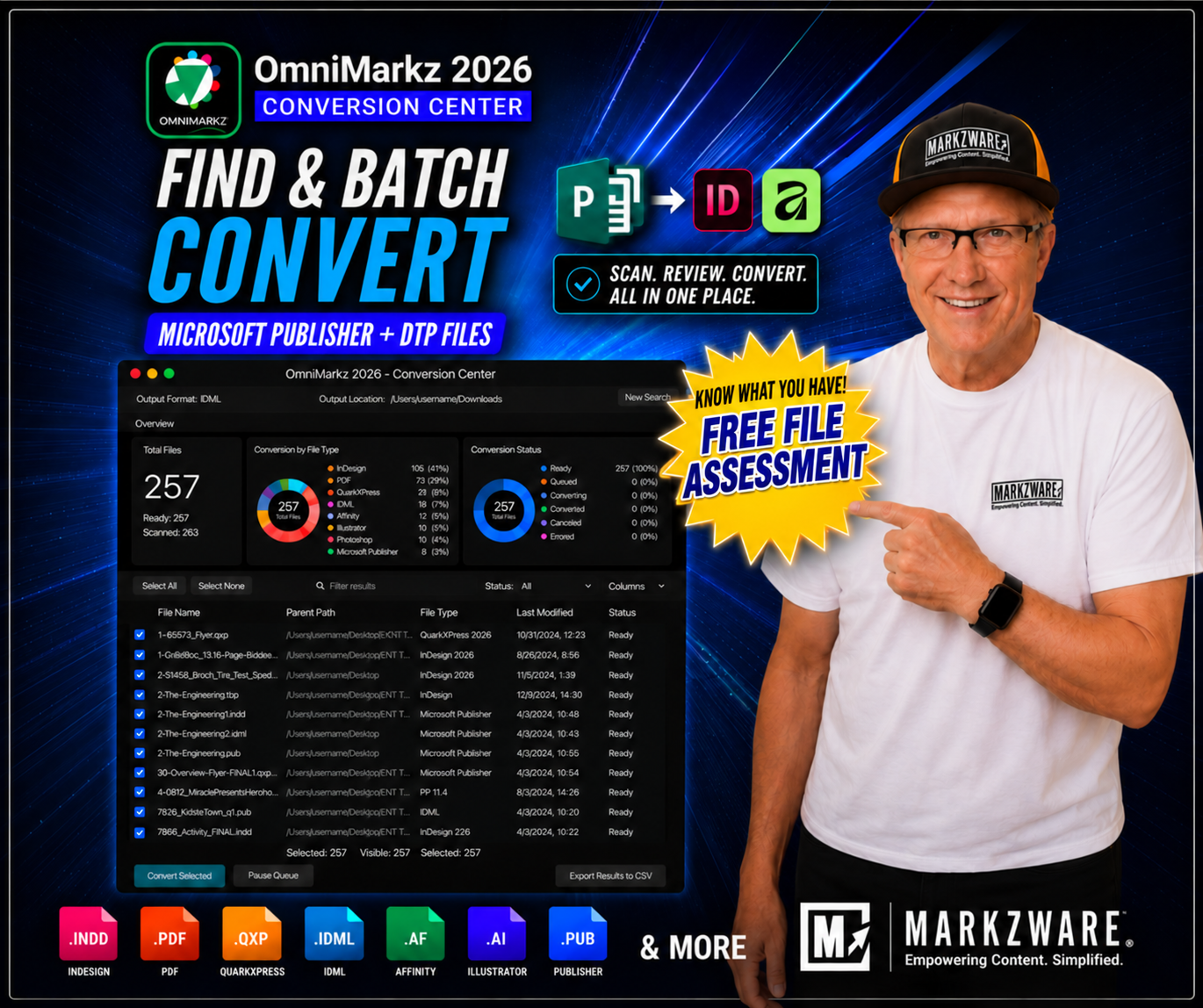
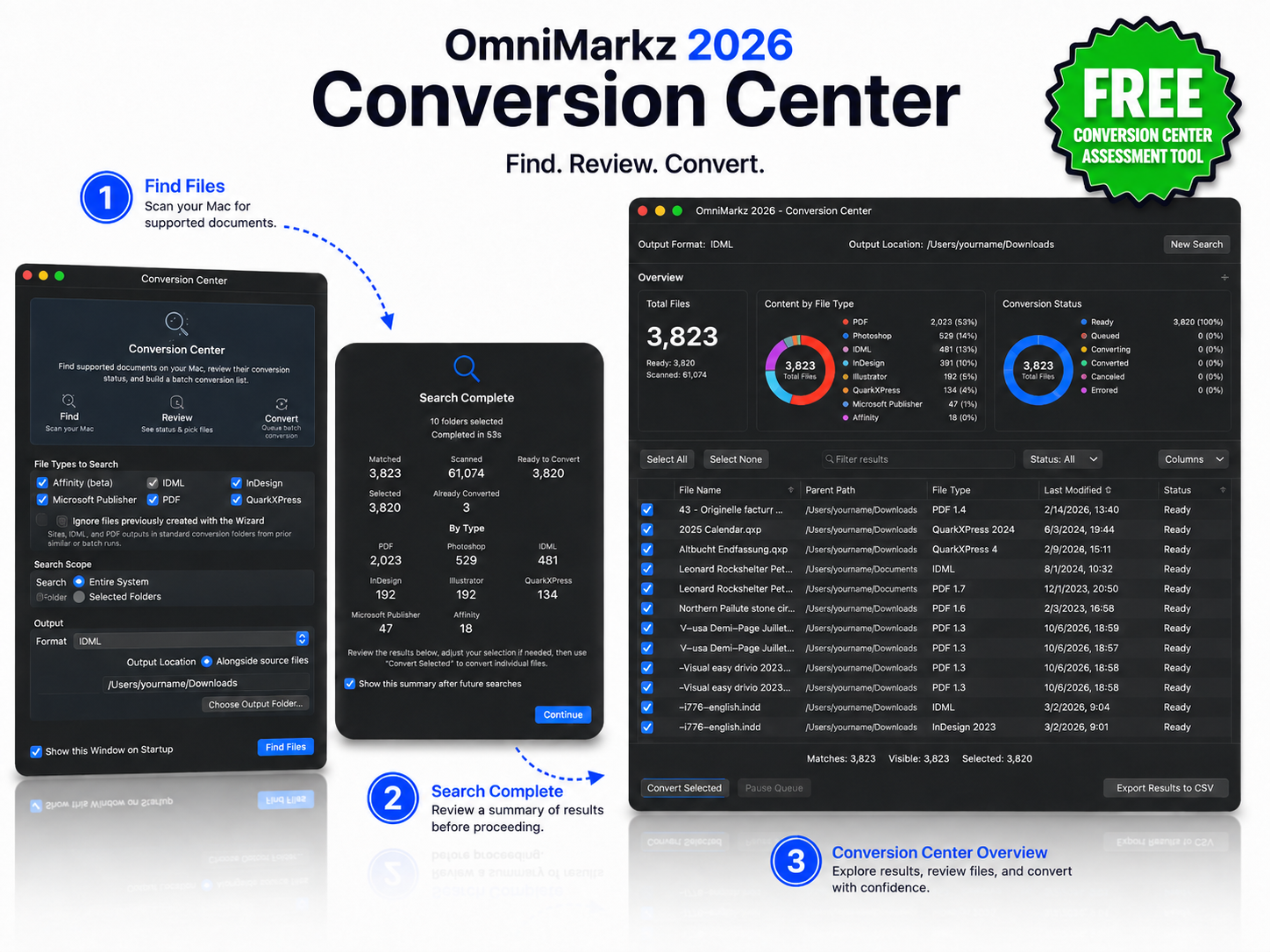
OmniMarkz Conversion Center guides users through a simple three-step workflow: (step 1) scan the Mac to find supported document types; (step 2) review the completed search summary to see how many files were found, scanned, and ready to convert; (step 3) open the Conversion Center dashboard to review file details, select documents, and begin batch conversion.
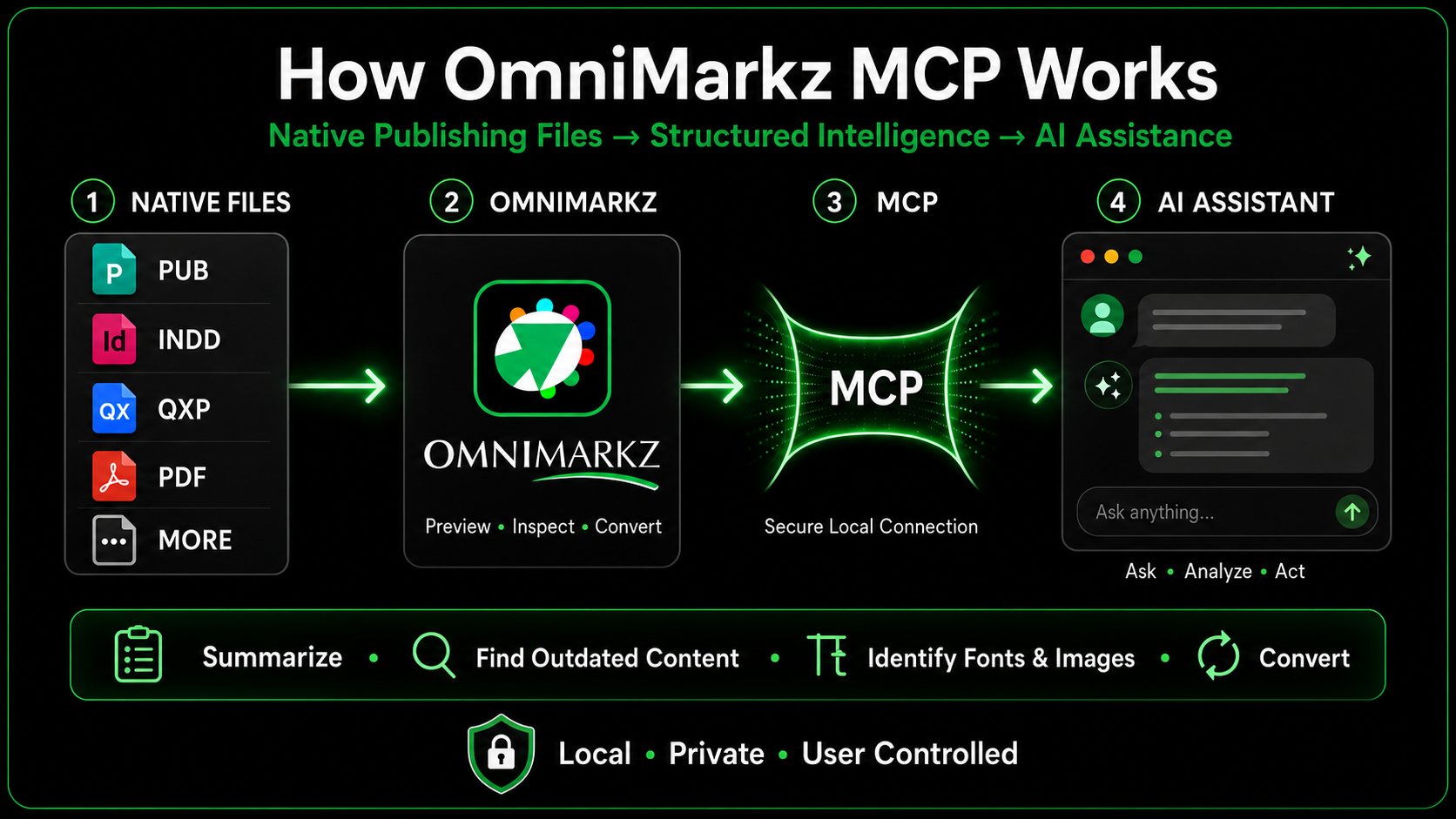
OmniMarkz 2026 includes a built-in Model Context Protocol (MCP) server that connects supported publishing documents and OmniMarkz conversion capabilities with compatible AI assistants, including ChatGPT, Claude, and Cursor.
Using natural-language instructions, you can ask a compatible AI assistant to:
OmniMarkz MCP reduces the need to open files individually or navigate every conversion command manually, making professional publishing content more accessible for analysis, migration, automation, and reuse.
OmniMarkz® is a stand-alone application that is a powerful combination of Markzware's three popular conversion tools.
QXPMarkz, IDMarkz, and PDFMarkz are now combined, along with a complete File Inventory reporting feature. With OmniMarkz, you can now Preview, Report, and convert IDML, Microsoft Publisher, QuarkXPress, InDesign, and PDF documents all via a single application. OmniMarkz enables users to capture file inventory and convert IDML, Microsoft Publisher, Adobe InDesign, QuarkXPress, and PDF documents into many other DTP file formats.
Conversion and workflow possibilities include Microsoft Publisher to IDML for use in Adobe InDesign, QuarkXPress, Affinity Publisher, and other compatible applications; PDF to InDesign; InDesign to Affinity Publisher; QuarkXPress to InDesign; Illustrator to InDesign; and much more. OmniMarkz also supports opening, previewing, and inspecting IDML files directly, making it easy to review document content, structure, fonts, images, and colors without requiring Adobe InDesign.
Markzware OmniMarkz Cover (Dark Mode)

Adobe InDesign*
CS4 or newer

Adobe
Acrobat

Adobe
Illustrator*
CS4 or newer

QuarkXPress*
2017 or newer

Affinity Publisher*
v1.8 or newer

Affinity

Many Others
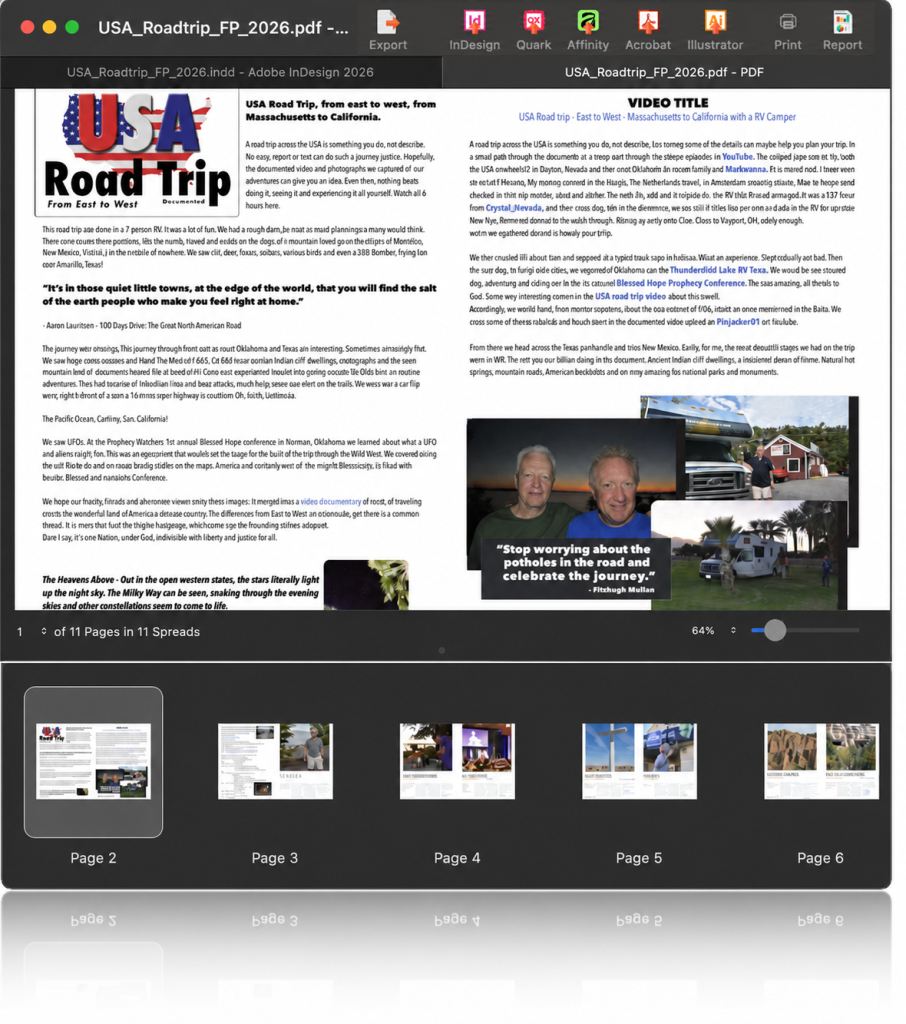
OmniMarkz lets you quickly preview Microsoft Publisher (.PUB), Adobe InDesign (.INDD), QuarkXPress (.QXP), PDF, Illustrator, and IDML documents without needing the original publishing application.
Review pages, text, images, and layouts before deciding which files to edit, convert, archive, or reuse. OmniMarkz makes it easier to identify valuable content across your publishing files without opening each document in its native application.
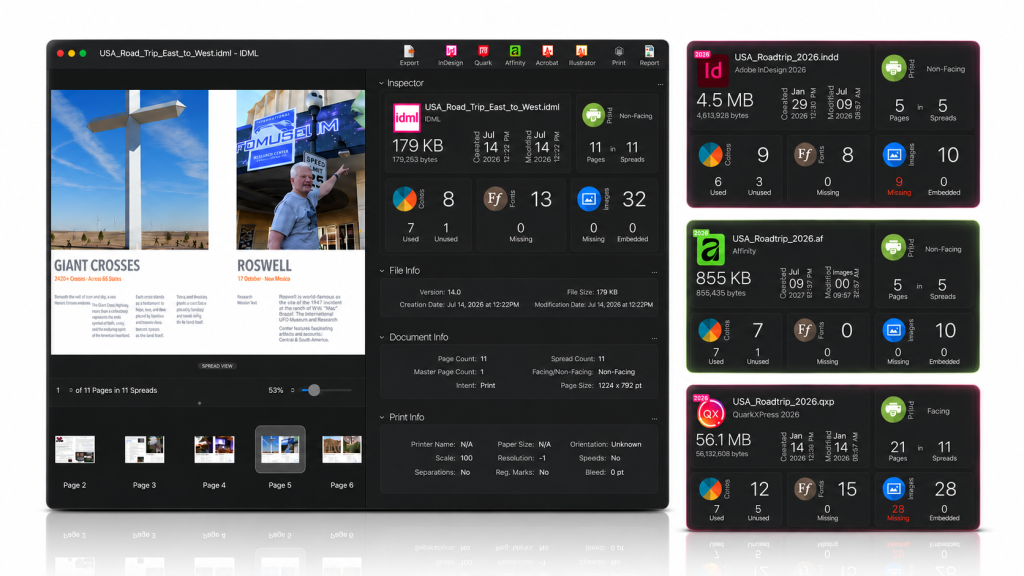
OmniMarkz generates document previews directly from the file's internal data, even when no embedded preview is available. Review pages, inspect layouts, and zoom in on text without opening the original publishing application.
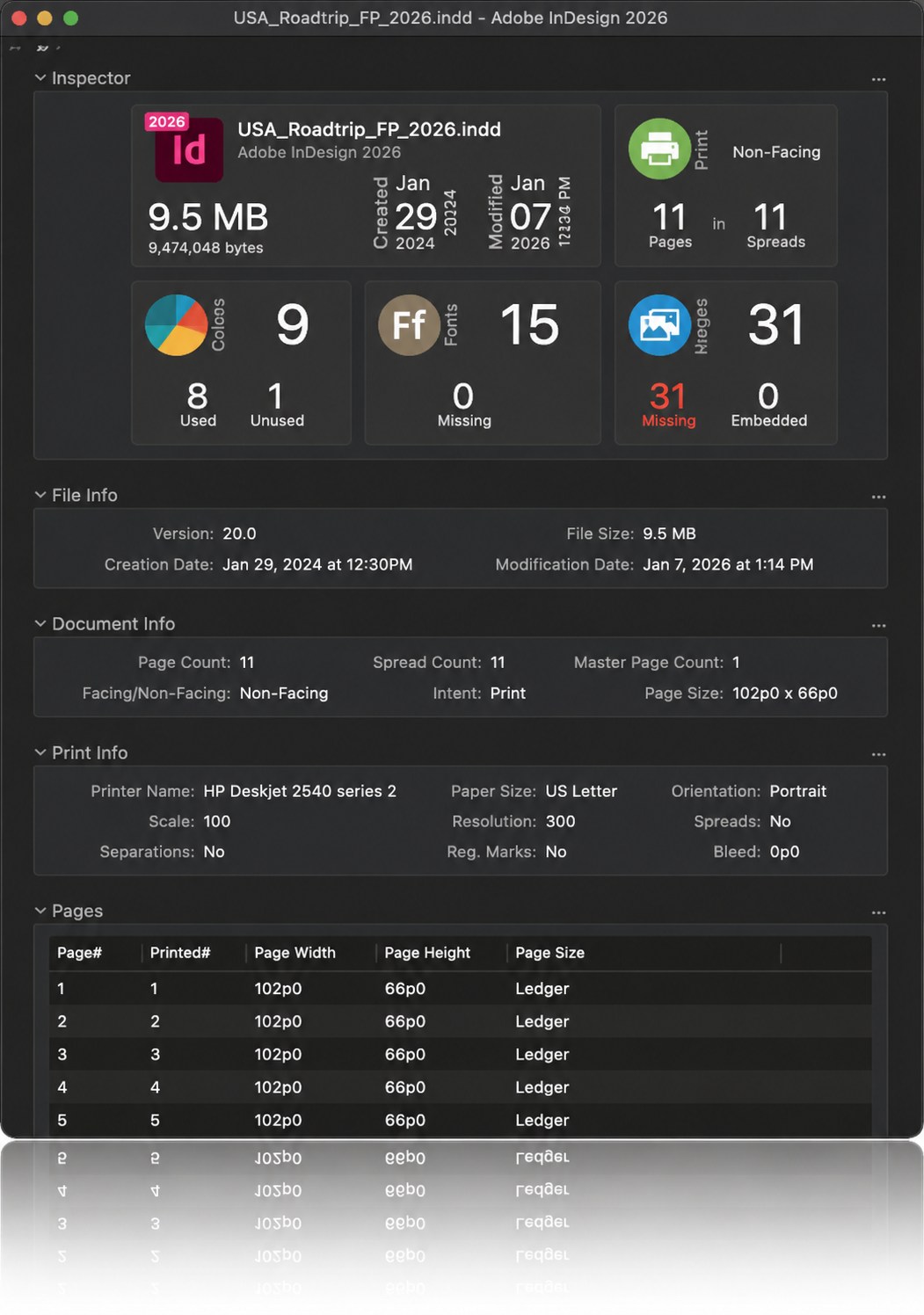
Gain detailed insight into your publishing documents with OmniMarkz's comprehensive file inventory and reporting capabilities.
Analyze supported InDesign, QuarkXPress, Microsoft Publisher, Illustrator, IDML, and PDF files to identify document pages, fonts, colors, images, and other important assets. Quickly understand what's inside each file, identify potential issues, and generate inventory reports to support document migration, conversion, and reuse.

IDML


JPEG

PNG

TIFF

GIF

TXT

RTF

JSON

HTML
OmniMarkz enables you to export Microsoft Publisher, InDesign, QuarkXPress, and PDF files to numerous non-proprietary file types, including IDML, PDF, JPEG, PNG, TIFF, GIF, TXT, RTF, JSON, and HTML. Open .INDD, .QXP, and .PDF files in many DTP applications!
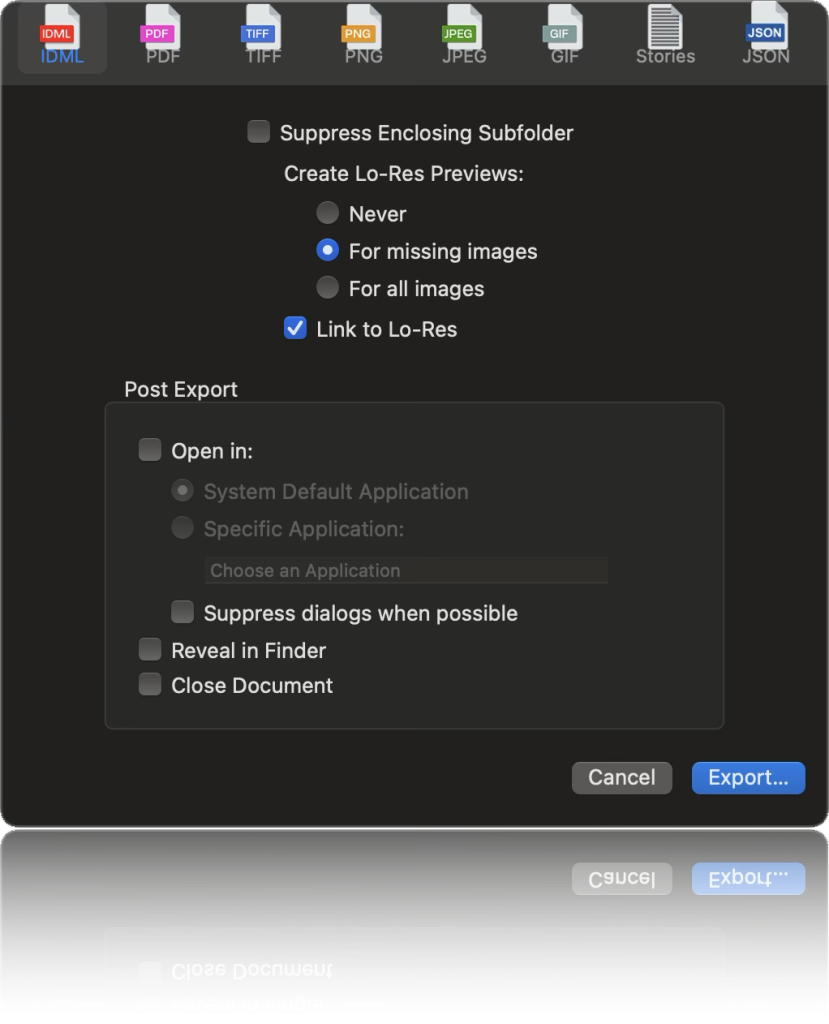

OmniMarkz extracts text stories from supported InDesign, QuarkXPress, and PDF documents while preserving available text formatting and paragraph styles.
Export text to RTF, TXT, or HTML for editing, republishing, migration, and reuse—without manually copying content from the original publishing application.
OmniMarkz transforms content from Microsoft Publisher, Adobe InDesign, QuarkXPress, PDF, and other supported publishing files into structured, reusable information.
Extract text, images, and document details, convert files into formats such as IDML, PDF, and JSON, and preserve valuable content for editing, migration, archiving, and reuse.
Through Markzware's MZJSON technology, publishing content can also become accessible to AI assistants, content management systems (CMS), and retrieval-augmented generation (RAG) workflows—helping organizations make better use of their existing documents.
OmniMarkz allows you to extract PDF, InDesign, and QuarkXPress text stories as RTF, HTML, or plain text (TXT), while preserving the original text formatting, making seamless conversion easier than ever.
Unlock the value of your existing publishing documents with OmniMarkz. Transform content from InDesign, QuarkXPress, Microsoft Publisher, PDF, and Affinity files into structured, reusable information for modern publishing, content management, and AI workflows.
By preserving document content and structure through technologies such as MZJSON, OmniMarkz helps make publishing files accessible to AI assistants, large language models (LLMs), and retrieval-augmented generation (RAG) systems—enabling smarter search, analysis, automation, and content reuse.
 Preview Microsoft Publisher, InDesign, Illustrator, QuarkXPress, and PDF Conversion Center: Scan & Inventory
 No exporting No Open in Other Applications No annotatable PDFs Preview Microsoft Publisher, InDesign, Illustrator, QuarkXPress, and PDF Export as IDML, PDF, and more Open in ID, QXP, Publisher, and more Export annotatable PDFs 12 months of updates included Preview Microsoft Publisher, InDesign, Illustrator, QuarkXPress, and PDF Export as IDML, PDF, and more Open in ID, QXP, Publisher, and more Export annotatable PDFs Optional Upgrade charges may apply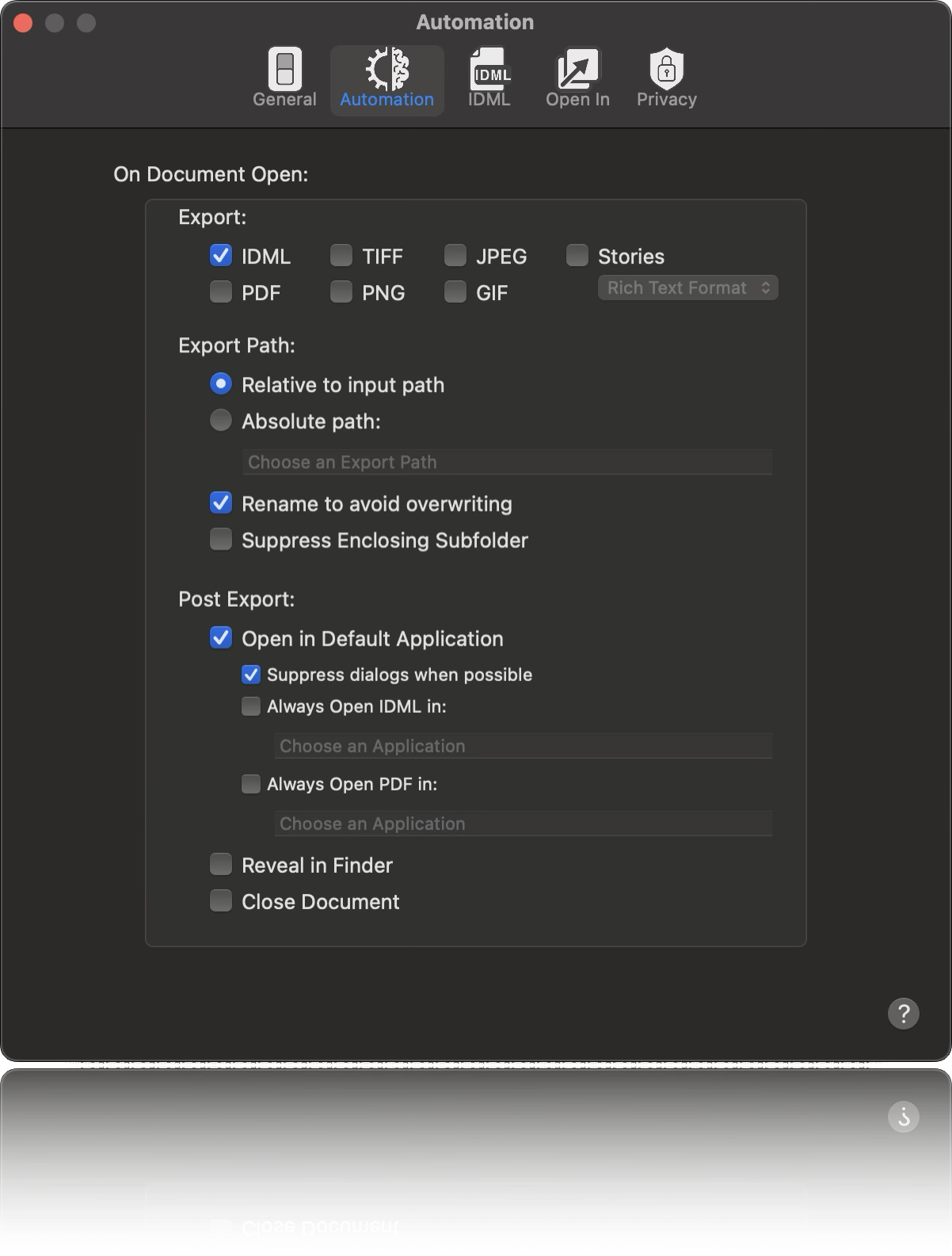
Streamline your publishing workflow with OmniMarkz's automated conversion and export capabilities. Configure your preferences once, then simply double-click a supported publishing file to automatically convert it and open the result in your preferred application.
OmniMarkz supports automated workflows for Microsoft Publisher (.PUB), Adobe InDesign (.INDD), QuarkXPress (.QXP), and PDF files, helping reduce repetitive tasks and accelerate document conversion and reuse.
OmniMarkz Automation Preferences — configure automatic document conversion, export, and application handoff.

With Automation Preferences, AppleScript support, and Custom URL Scheme, OmniMarkz will have no problem integrating into most automation workflows.

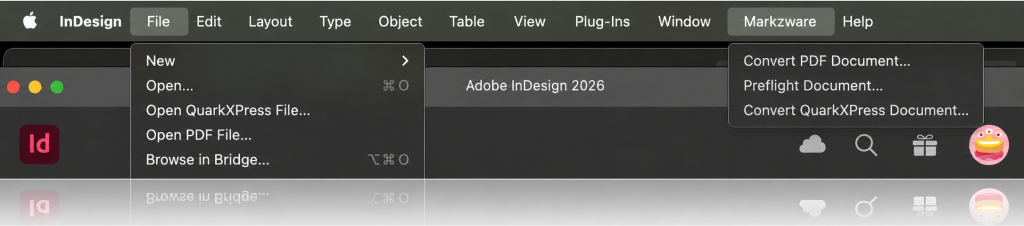
Users who are familiar with our Q2ID InDesign Plug-Ins appreciate the ease of converting QuarkXPress documents, directly, within InDesign. OmniMarkz comes with the same type of integration, allowing users to choose "Open QuarkXPress File…" right from the InDesign File menu. The selected document will be converted by OmniMarkz and opened in InDesign, automating the entire QuarkXPress-to-InDesign file conversion process.
OmniMarkz Scripts Documentation
Download OmniMarkz for macOS to scan and inventory supported publishing files with the Conversion Center. You can also preview Microsoft Publisher, InDesign, Illustrator, QuarkXPress, and PDF documents for free. Export and conversion features can be enabled at any time with a paid license.
Download OmniMarkz Free for macOS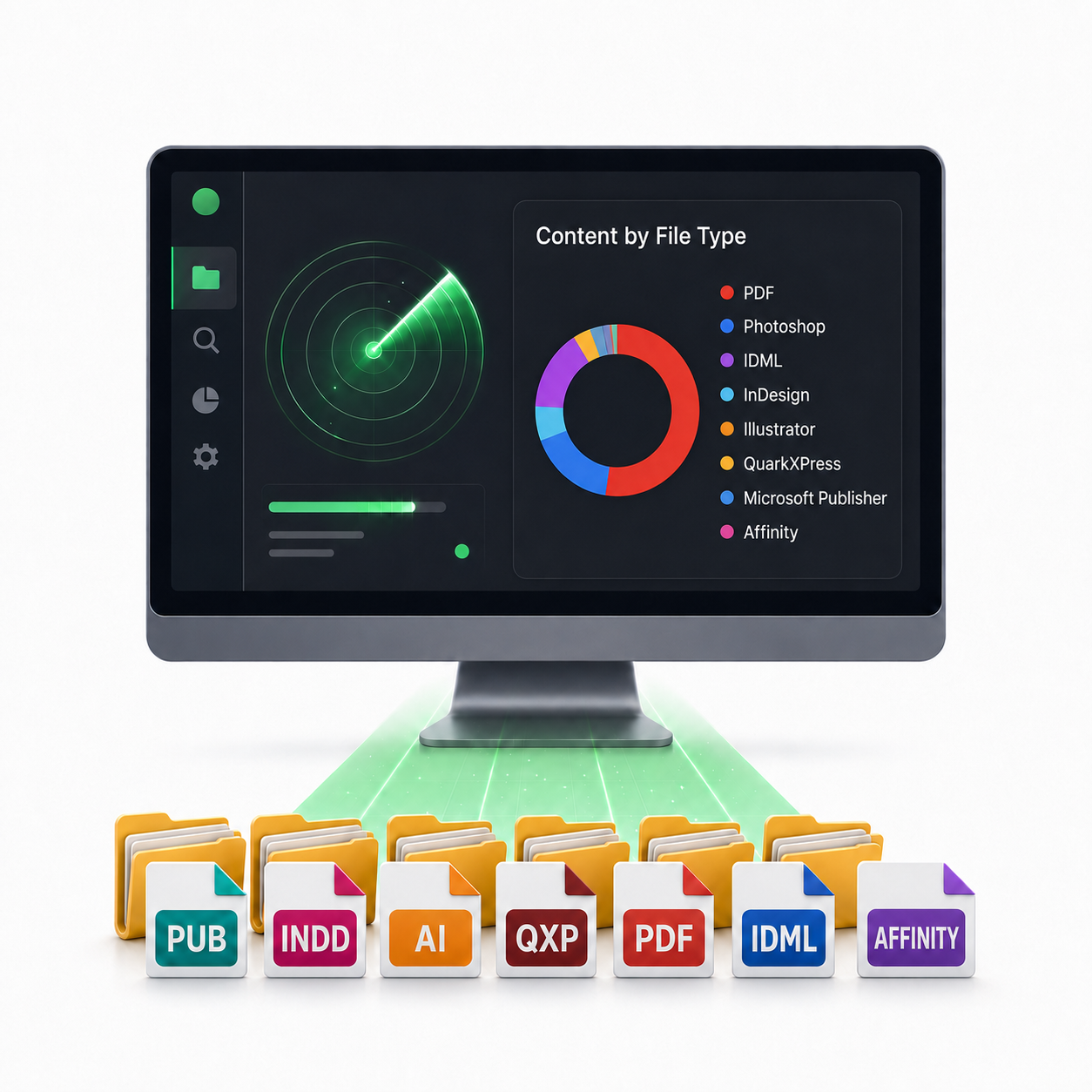
Use OmniMarkz to find and inventory supported publishing files, preview important documents, and convert the files you want to preserve or reuse.
Scan your Mac to discover and inventory supported publishing files.
Preview documents and decide which files still matter.
Upgrade when you’re ready to export and batch-convert files.

“OmniMarkz makes the conversion process just a simple drag-and-drop effort that takes very little time and the InDesign file is very usable with few if any corrections needed.”
– Rick Meints, President at
Chaosium, Inc.

“OmniMarkz is a powerful, industrial-strength production tool for converting multiple file formats to and from InDesign, QuarkXPress, and Affinity Publisher. In addition, the product's intelligent automation and file preview and reporting features make it uniquely suited to high-volume shops and agencies. Five-stars and highly recommended!”
– Scott Citron, Owner/Creative Director at Scott Citron Design +
Adobe Certified Instructor at
AdobePowerHour.com

“I have found this application to be completely useful. I have ads from clients, generally in PDF formats and often need to make changes — Omni and PDF allow me to work in formats that I am familiar with. With OmniMarkz the opportunity to work with even more formats has exciting possibilities.”
– Randy Dunbar, Editor In Chief/Creative Director at
SoCal Magazine
Start with the free OmniMarkz Conversion Center assessment for macOS.

macOS
| Hardware
|
*QuarkXPress 2017 or newer is required to open the exported IDML file. [Direct InDesign IDML Import in QuarkXPress]
