Select the option that fits your workflow.

FlightCheck is an indispensable program to check all types of files before sending them to print. While some programs have built-in preflight, none surpasses the options and power of FlightCheck.
- David Creamer, IDEASTraining.com
I really have found FlightCheck to be an essential in the classroom, for it gives us both the Prepress Operator and Designer’s perspective on how to properly prepare files for Output!
- Darryl Owens, cptc.edu
File type: EPS
File size: 2.1 MB
Dimensions: 773 × 962
File type: PNG
File size: 126 KB
Dimensions: 1200 × 580
File type: EPS
File size: 2.1 MB
Dimensions: 773 × 962
File type: PNG
File size: 54 KB
Dimensions: 1200 × 280
File type: PNG
File size: 80 KB
Dimensions: 1200 × 280
File type: PNG
File size: 4 MB
Dimensions: 4336 × 5602



Here are some examples of descriptive text, with various character counts, to help inspire your writing projects regarding FlightCheck:
FlightCheck app: Preflight, package DTP files
FlightCheck preflight application: Preview, inventory, package & report on files
FlightCheck is Markzware’s preflight application for quality control to analyze colors, fonts, images and more, in PDF & DTP file types. It will Inventory, Preview, and Package desktop publishing (DTP) files. Customize Preflight Reports, then export.
FlightCheck is Markzware’s stand-alone preflight application for quality control, to inspect and analyze colors, fonts, images, and more, in PDF and many desktop publishing file types. It has no required dependencies and will help graphic designers, and print production specialists to Inventory, Preview, and Package desktop publishing (DTP) files, for print-ready documents. Customize Preflight Reports, then export as HTML, JSON, RTF, TXT, or XML.
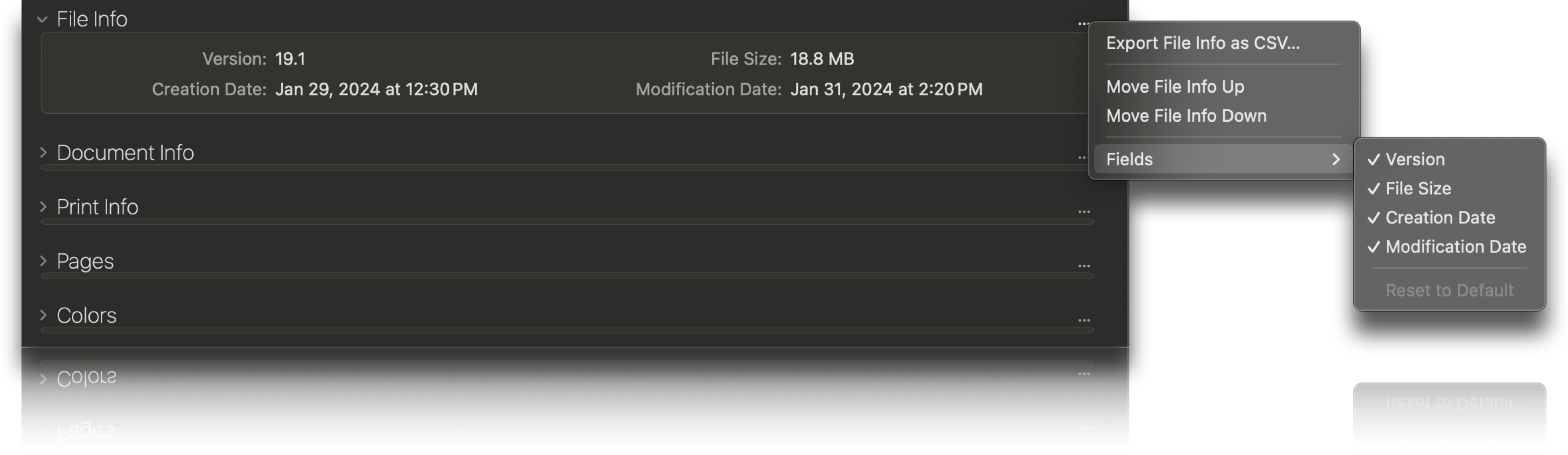
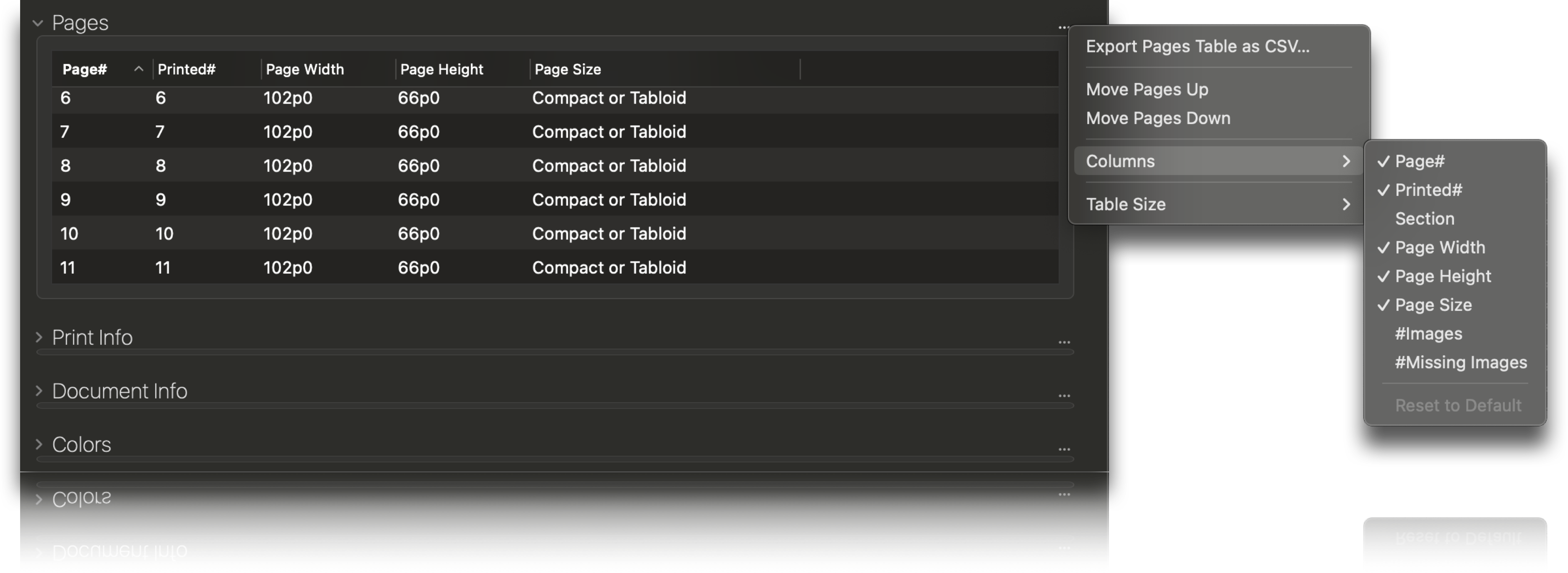
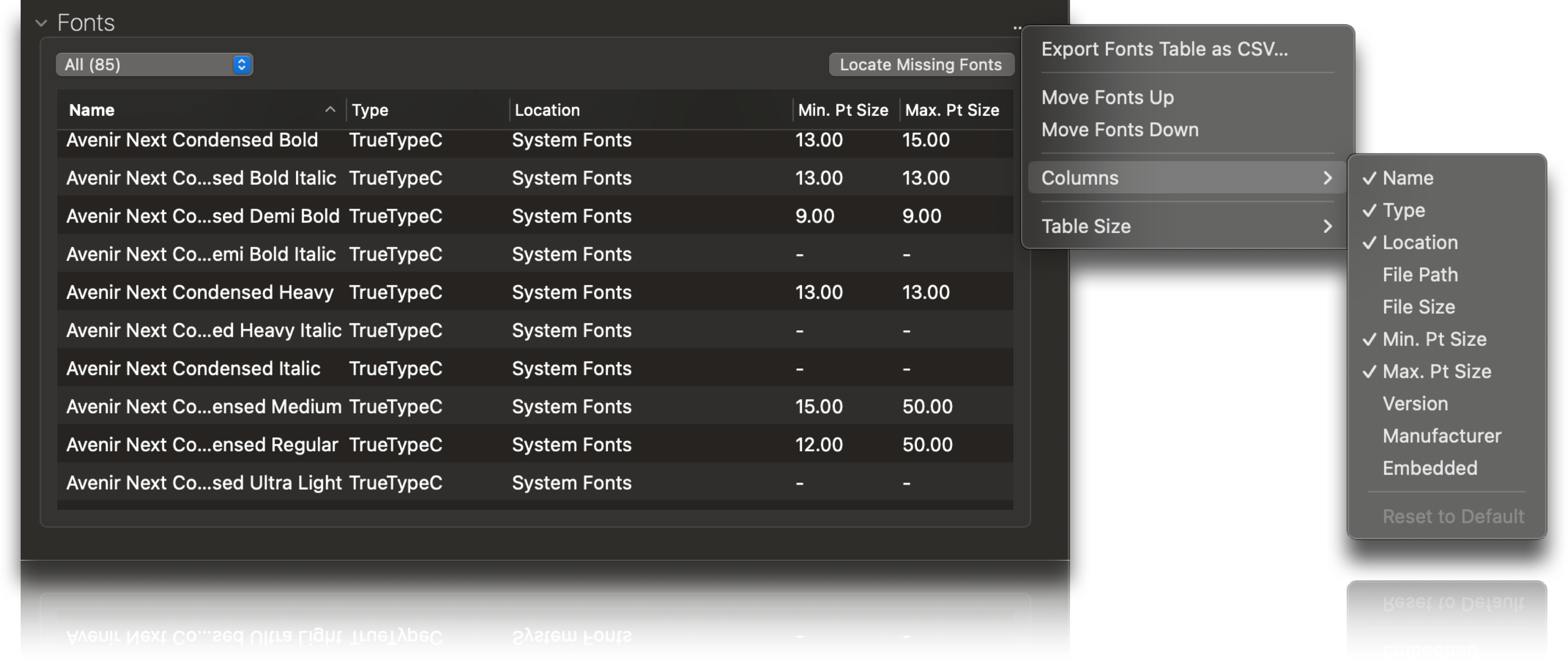
FlightCheck is Markzware’s next-generation, stand-alone intelligent preflight application. This unique quality control tool inspects and analyzes colors, fonts, images & more, in both PDF and several desktop publishing document types. FlightCheck has no required dependencies. This means external applications or plug-ins are not required to run this software. It is complete with Inventory and Packaging functionality to ensure print-ready documents. FlightCheck offers a preview and inspection of desktop publishing (DTP) file content. Preflight Reports can be customized with your company information and logo, then exported as HTML, JSON, RTF, TXT, or XML. FlightCheck provides added value for creatives, graphic designers, and print production specialists seeking an easy-to-use preflighting tool for onboarding document production jobs. Preflight a variety of formats, including Adobe InDesign, Illustrator, Photoshop, PDF, QuarkXPress, and several image types, to ensure error-free document production. FlightCheck creates a complete, compressed package. You can send files with all job elements, for sharing, printing, or archiving. This is extremely convenient for a customer service representative preparing job quotes, or even graphic design departments, to preflight and archive years of work, for content sustainability. The Inspector Widgets provides a high-level overview of the document. At a glance, you can see which file type, which version, and when the document was last modified. FlightCheck has Ground Controls, which flag a plethora of items in categories, such as File, PDF, Document, Print, Colors, Fonts, Images, and more! FlightCheck excels at collecting and packaging required job elements, ensuring you have everything needed for the next step in your workflow. FlightCheck even offers white-label capability for print shops and publishers worldwide to become affiliates. Supports PDF standards and streamlines graphic design, print, publishing, and archiving workflows.
Press contacts, journalists, and trade publications can get NFR (Not For Resale) versions of our products to test for reviews. These are not to be used, in any shape or form, for commercial use. The best way to let your readers know how Markzware products work is to try it yourself.
To get a Markzware NFR product for review, complete, print, and sign the NFR Agreement form. Then, scan and email it to sales@markzware.com and we will get you the NFRs that you need (Please note which product(s) you need NFRs for and for which purpose).