
Select the option that fits your workflow.
Canva Design Conversion for Creatives


Experience Markzware’s new ConvertMarkz™ app, which will allow you to preview and convert your Canva designs to desktop publishing (DTP) files.
ConvertMarkz is in Canva’s marketplace and is available to all users. Canva designers are able to extend their choices to export designs and make design portfolios accessible for editing in other DTP applications, including Affinity Publisher, Adobe InDesign, and QuarkXPress, by using the versatile ConvertMarkz app. ConvertMarkz users can visit the cloud-based MarkzPortal, Markzware’s SaaS solution for converting desktop publishing files online.
To convert your PDF, log into MarkzPortal.

Click the image above, to watch the video.
New file conversion app for Canva, ConvertMarkz, extends Canva file types
for export. Convert Canva designs to industry-standard desktop publishing formats,
such as Affinity Publisher, Adobe InDesign, QuarkXPress, and more.

Export Canva Designs to DTP Files via Markzware’s New ConvertMarkz App on Canva.com
Through the flexible ConvertMarkz app in Canva’s app marketplace:
• Convert Canva PDFs to DTP formats and image formats.
• Share, collaborate, and edit your designs with ease.
• Connect to Markzware’s MarkzPortal, to extract stylized text and
images for use in your designs, plus import previews of
layouts previously exported to MarkzPortal.
Some Premium Features Require A Subscription to MarkzPortal

Convert Canva designs to Affinity Publisher, Adobe InDesign, and QuarkXPress documents
To convert your PDF, log into MarkzPortal.
Canva document creators can turn their content into ROI-producing documents. Markzware’s ConvertMarkz empowers users to convert content for books, brochures, catalogs, Ebooks, flipbooks, magazines, newsletters, product packaging, social media posts, and more.


ConvertMarkz provides added value for creatives, graphic designers, and layout production specialists seeking an easy-to-use file conversion tool for onboarding document production jobs. This affordable system allows more flexible content creation for communication arts and other document projects.
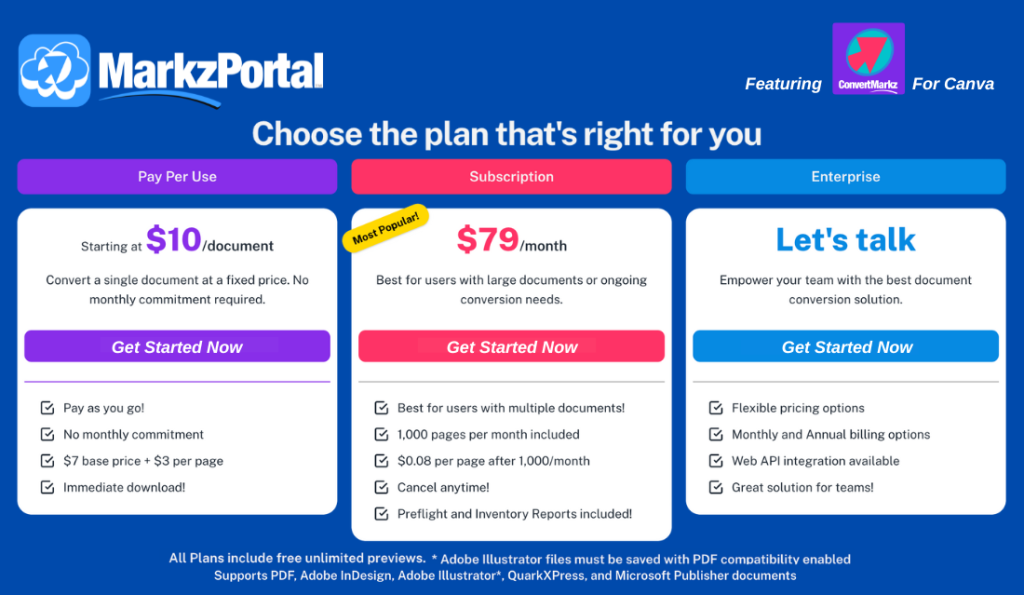
Get ConvertMarkz for free and preview your Canva PDF, today.

To convert your PDF, log into MarkzPortal.

See MarkzPortal pricing, here. Subscribe now, to start converting Canva PDF files.

[Take Me To The Products Page]
ConvertMarkz is designed to make complex tasks quick and easy. Preview your document, then open the file in Affinity Publisher, QuarkXPress, or Adobe InDesign.
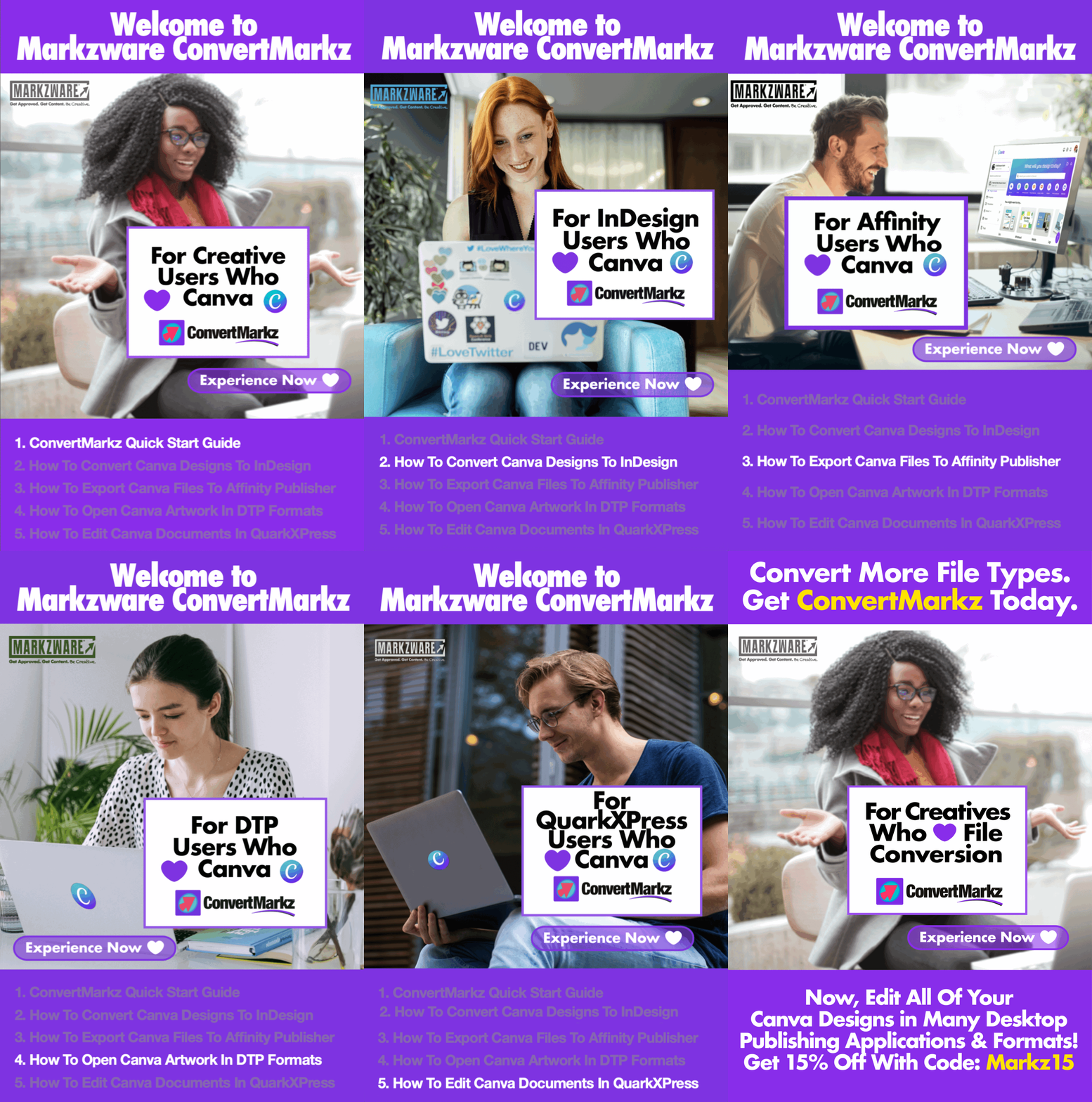


[Try Markzware’s Canva App, ConvertMarkz on Canva.com, Now]

Markzware was an
attendee of our first
Canva extend_
developer’s conference in
San Francisco, and we
are delighted to welcome
their ConvertMarkz app.
– Warren Chen, Head of
Ecosystem Partnerships &
Developer Success at Canva

There’s gotta be a way to get this Canva PDF file translated into an InDesign design file. This is a miracle! … Markzware … can convert Canva to InDesign! … Relief and gratitude abounds … saving us time and trouble and a massive amount of energy … BRAVO!
– Pamela Sackett,
Principal Artist/Founder &
book publisher at Emotion
Literacy Advocates

The applications Markzware provides designers of all levels are amazing time savers. When it comes to taking digital files and making them usable in older versions, or taking a file to your program of choice for editing there is no equal.
– Mark Lamhut, President, Paul-Mark Printing
Submit your review | |
This opens up a whole new level of working for marketing companies. It allows them to create content in Canva and then work closely with their Design Company to finalise the artwork and get it ready for commercial print. You are bringing the two worlds together - Traditional Designers and Marketers. I love the look of this. Well done !
Markzware was an attendee of our first Canva extend_ developer’s conference in San Francisco, and we are delighted to welcome their ConvertMarkz app.
For the first time--for a number of reasons--we developed one of our books--not in the standard InDesign software but in Canva. Little did we know that this would pose a tremendous problem as PODs do not accept Canva software. Although google confirmed our greatest fear, that there is no way to negotiate a Canva file or convert it to InDesign, I was determined to find a way...up pops a Markzware tutorial telling us that, in fact, THEY can convert Canva to InDesign! Seemed too good to be true but, lo and behold, it was true and what could have meant a wholly dispiriting reality of losing all that precious time with the Canva file--designing, developing, formatting, editing, tweaking, "finishing" the book file--the conversion captured most of what we created with just a comparatively few adjustments required to prepare the book file for print submission! Relief and gratitude abounds in our generative sphere, saving us time and trouble and a massive amount of energy...the result of brilliance that is Markzware, administered to our organization with grace, kindness, patience, confidence and skill … Will wonders never cease? Hopefully they shall continue! BRAVO!
The applications Markzware provides designers of all levels are amazing time savers. When it comes to taking digital files and making them usable in older versions, or taking a file to your program of choice for editing there is no equal.
Click to Leave a Review of ConvertMarkz on Product Hunt.

macOS • 15 Sequoia | Hardware • Mac Pro, iMac, iMac Pro, MacBook, MacBook Pro, MacBook Air, Mac Mini |
ConvertMarkz for macOS & Windows
(Canva Designs to Affinity Publisher, Adobe InDesign, & QuarkXPress)
