Select the option that fits your workflow.
FlightCheck 2026: Preflight PDF and DTP Files for Print and Archiving

FlightCheck is Markzware’s stand-alone macOS application for preflighting, reporting on, and packaging Microsoft Publisher, Adobe InDesign, IDML, Adobe Illustrator, Adobe Photoshop, PDF, QuarkXPress, and image files.
It checks colors, fonts, images, and other document elements without requiring the original design applications or plug-ins. Its inventory and packaging tools help creative, prepress, and print-production teams identify potential problems and prepare complete jobs for printing or archiving.
FlightCheck provides added value for creatives, graphic designers, and print-production specialists seeking an easy-to-use preflighting tool for document-production workflows. This affordable prepress system can inspect a wide variety of formats, including Microsoft Publisher, Adobe InDesign, IDML, Adobe Illustrator, Adobe Photoshop, PDF, QuarkXPress, and several image types, helping users identify potential production problems before files are printed, shared, or archived.
FlightCheck can also create a complete, compressed package containing the document and its required job elements. This makes it easier to send complete files for sharing, printing, or archiving. It is especially useful for customer-service representatives preparing job quotes and for creative, prepress, and print-production departments that need to inspect, package, and preserve years of valuable document content. FlightCheck users can also visit the cloud-based MarkzPortal, Markzware’s SaaS solution for converting desktop-publishing files online.
One of FlightCheck’s key capabilities is its ability to inspect and preflight a wide variety of native document and image formats, including Microsoft Publisher (.PUB) files. A partial list of supported formats appears below:
Microsoft
Publisher

Adobe InDesign

IDML

Adobe Illustrator

Adobe Photoshop

PDF (Portable
Document Format)

QuarkXPress
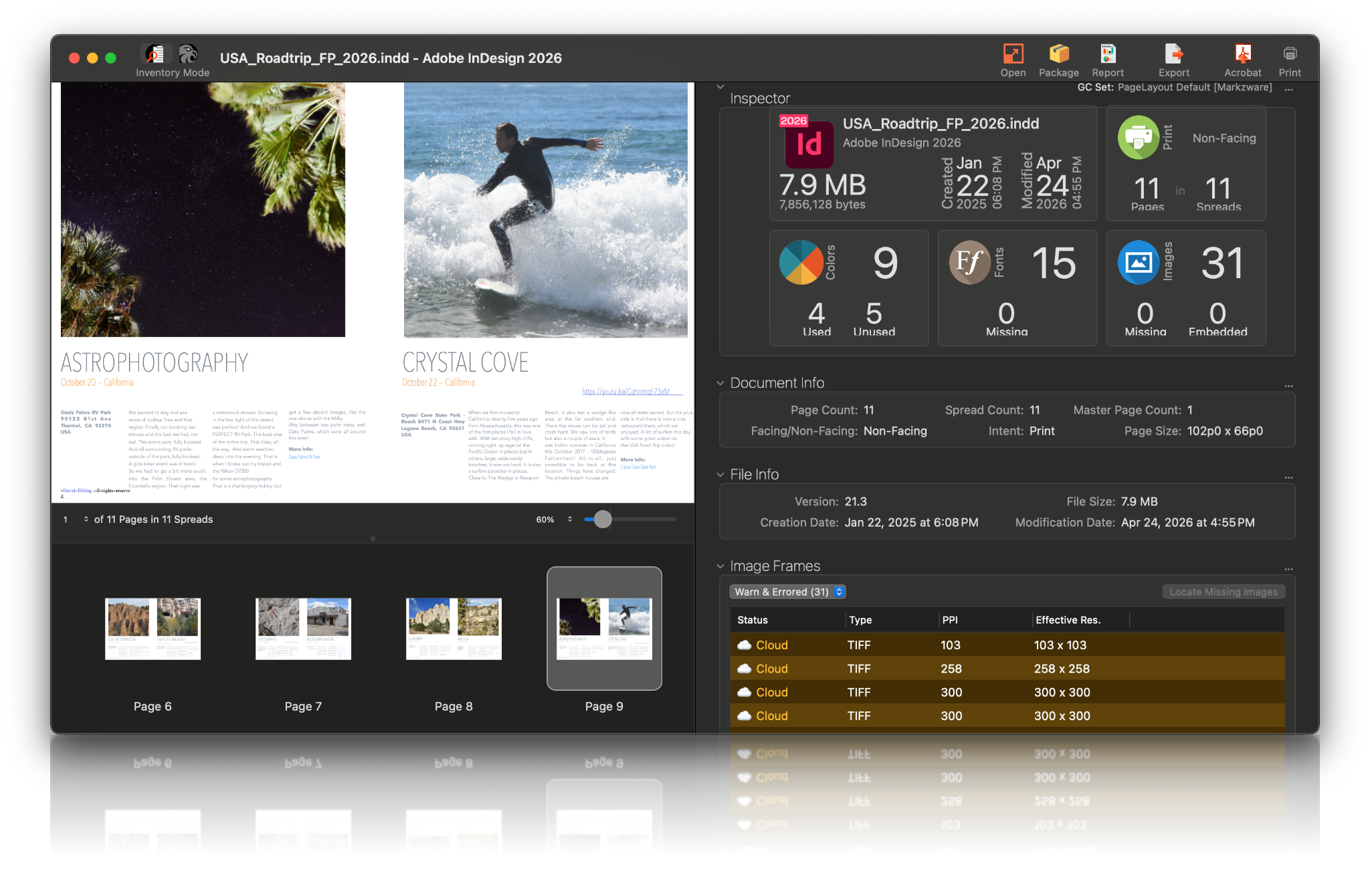
The Inspector Widgets provide a high-level overview of the document. At a glance, you can see which file type, which version, and when the document was last modified. Is it intended for print, mobile, or web? How many pages and spreads are included? Are there any missing or inactive used fonts? Are there missing or embedded images
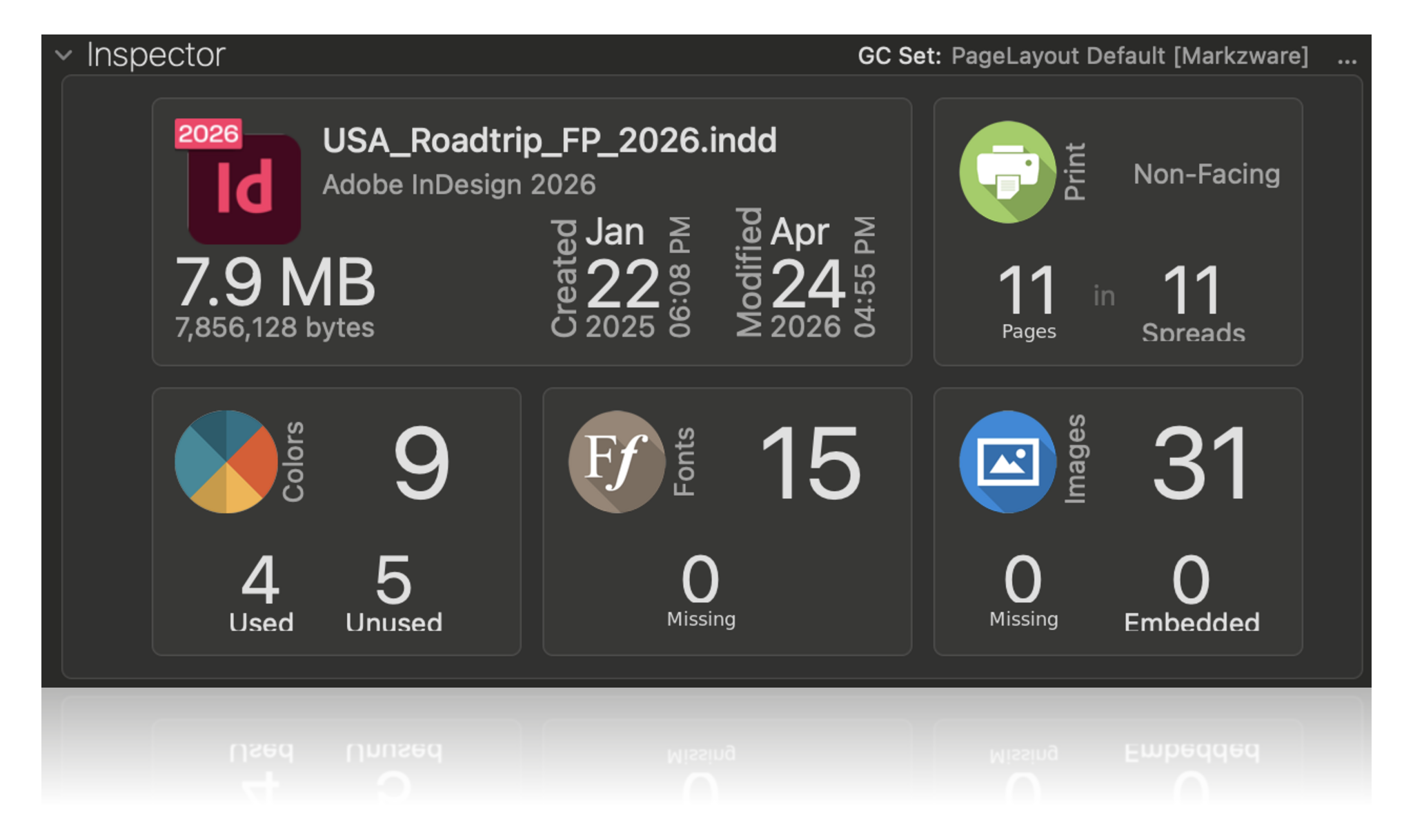
FlightCheck Inspector Panel (Dark Mode)
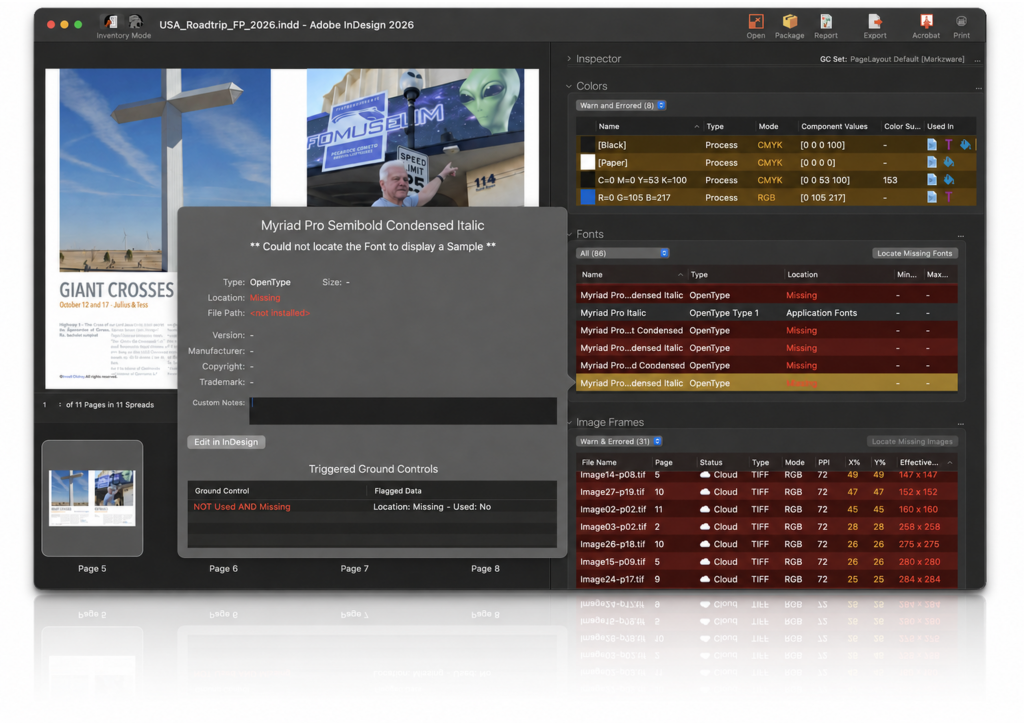
FlightCheck Font Detail (Dark Mode)
Continue with the Inventory View, for a thorough analysis of the document contents. Detailed file, page, and print information is displayed. View all of the job images, both linked and embedded, alongside all of their important details (e.g., type, color mode, resolution, …). You can also see detailed color, page, and font information.
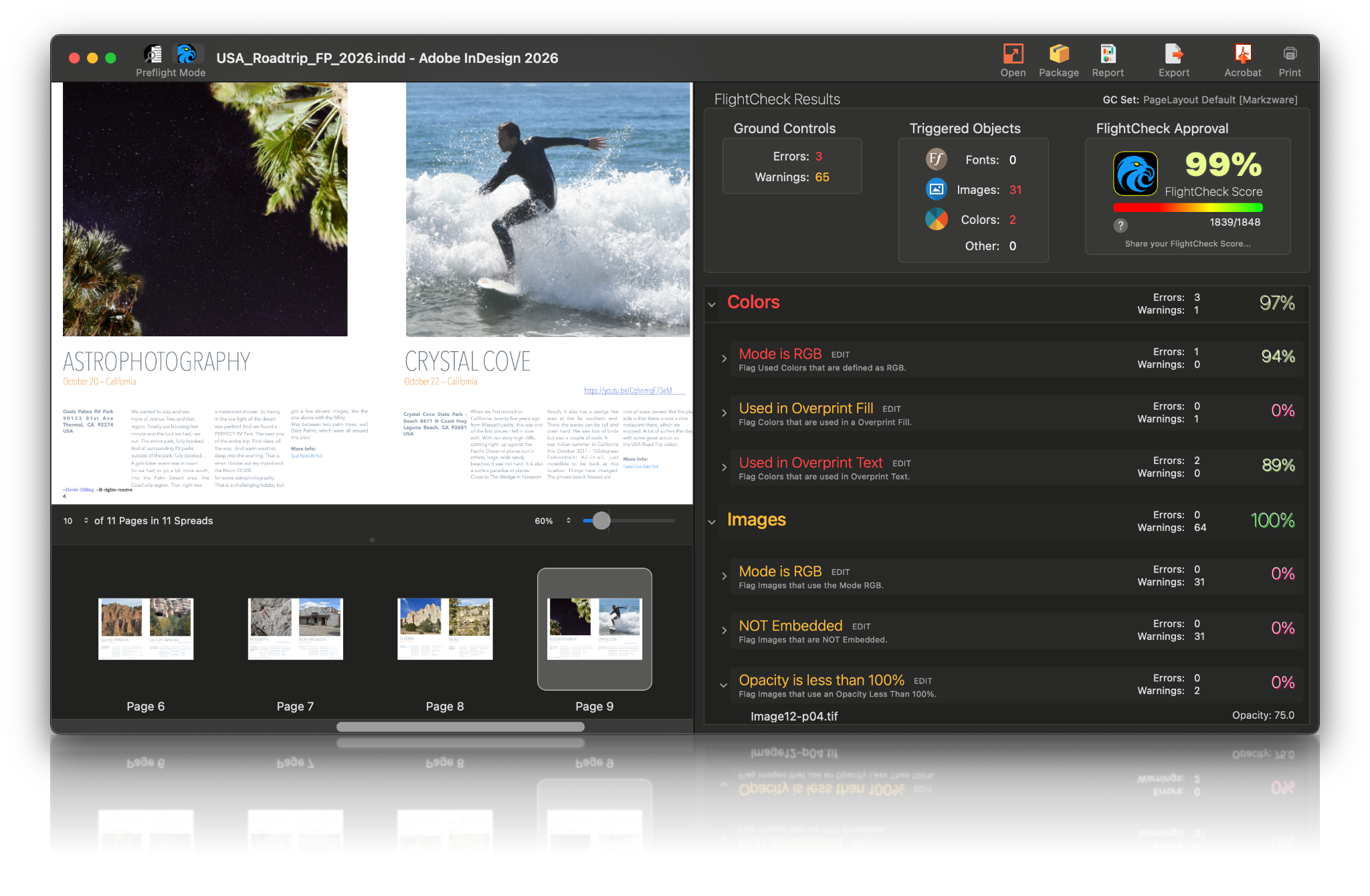
FlightCheck has Ground Controls, which flag a plethora of items in categories, such as File, PDF, Document, Print, Colors, Fonts, Images, and more!
Adobe announced that they will drop support for both PANTONE colors and PostScript Type 1 Fonts. This causes new issues, to which FlightCheck will alert users. Markzware has included the following Ground Controls:
• Fonts that are Type 1
• Used PANTONE colors not supported by Adobe
• Images that use ICC Profiles Override.
FlightCheck can also flag generative AI content stored in Photoshop files and display available prompt information. See how to detect generative AI and Adobe Firefly content in Photoshop files.
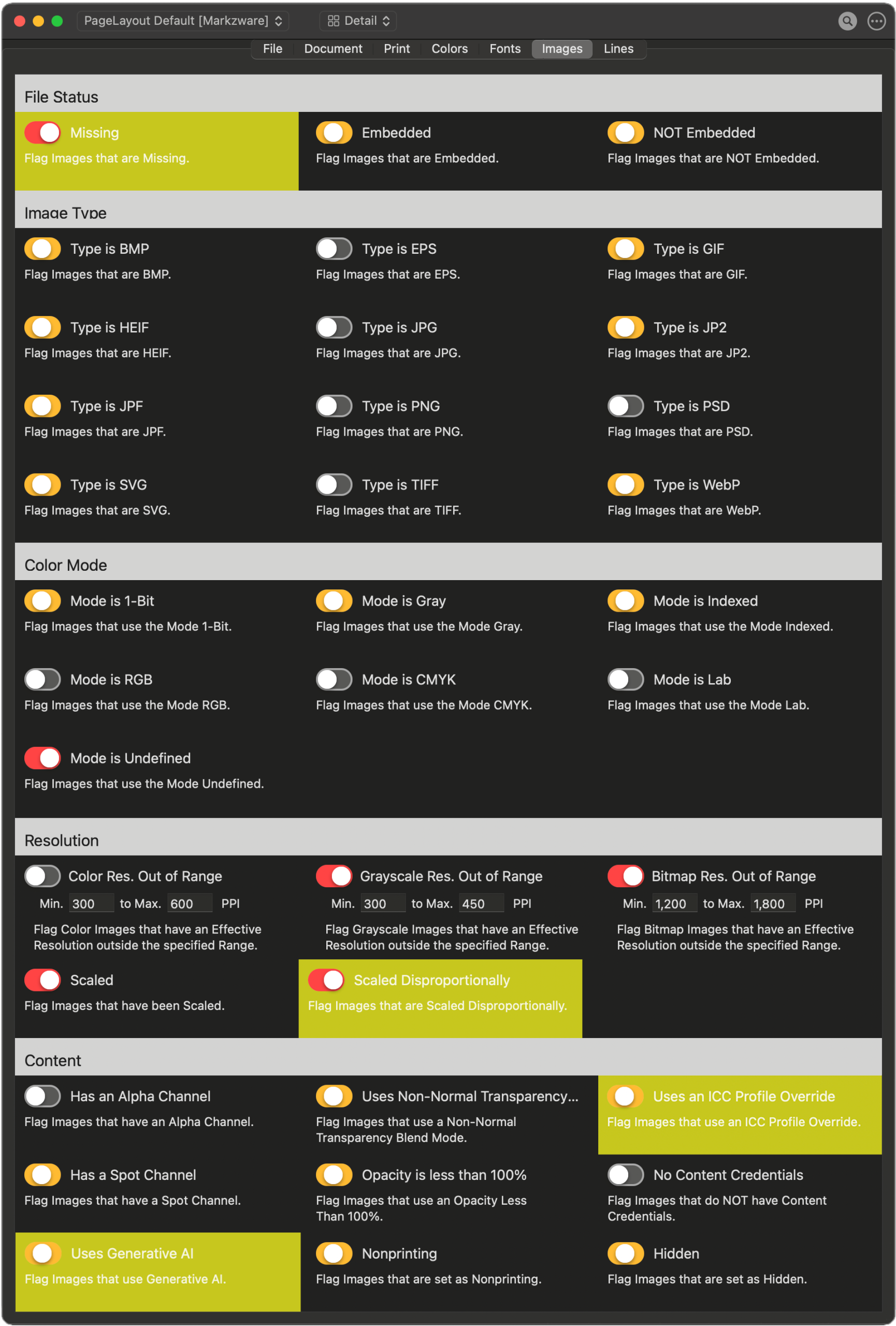
FlightCheck Ground Controls can flag Type 1 fonts, unsupported PANTONE colors, ICC profile overrides, and generative AI content.Unsupported Pantone Colors, & ICC Profile Override

FlightCheck Results (Dark Mode)
FlightCheck will highlight errors, during preflight, such as missing fonts and images. The application will also warn about potential issues, such as embedded images or inactive fonts. Prepress specialists can use FlightCheck to help avoid any of these errors, which could cause common printing problems, or worse, re-printing the entire job.
FlightCheck excels at collecting and packaging required job elements, ensuring you have everything needed for the next step in your workflow. Packaged items include:
• Original DTP file (INDD, QXP, PDF, AI, …)
• Exported PDF file
• Converted IDML file* [watch the video]
• Linked Images
• Extracted Embedded Images
• Used Fonts
• Inventory Report
(as HTML, TXT, RTF, JSON, or XML)
• Package Report
(as HTML, TXT, RTF, JSON, or XML)
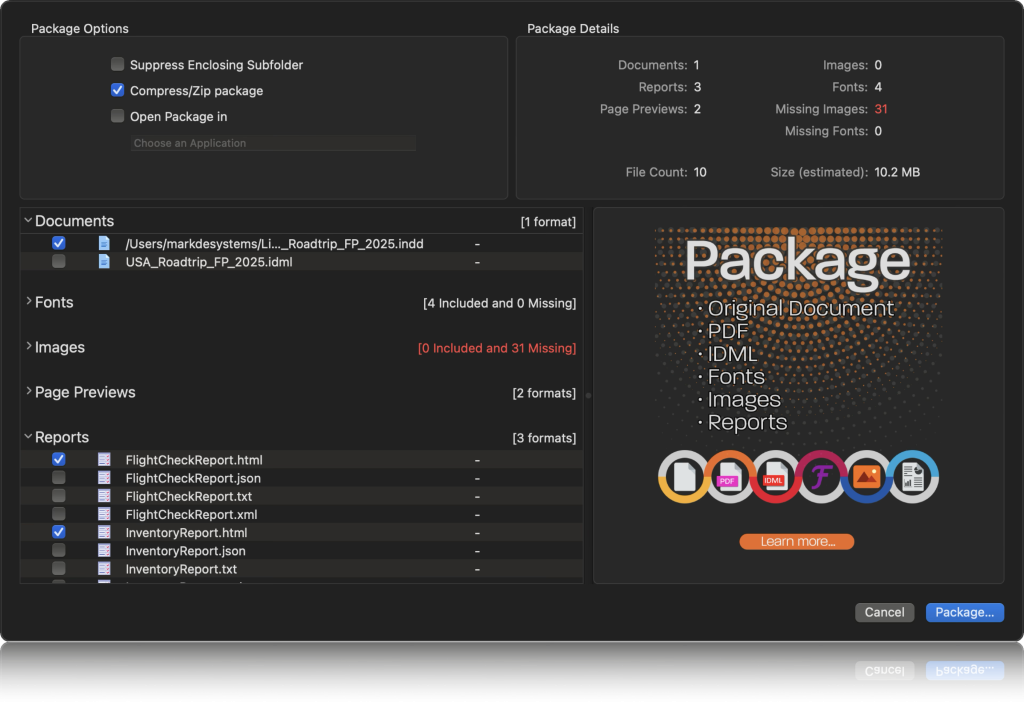
FlightCheck Package (Dark Mode)
 Stand-Alone Application Preview and Preflight In-Depth Inventory on Package to
 Limited to 30 days Stand-Alone Application Preview and Preflight In-Depth Inventory on Package to 12 months of updates included Stand-Alone Application Preview and Preflight In-Depth Inventory on Package to Optional Upgrade charges may apply
What is the difference between Perpetual and Subscription Licenses
[Take Me To The Products Page]
FlightCheck even offers white-label capability for print shops and publishers worldwide to become affiliates, so they can provide this added value, along with their corporate identity and logo, to their customers.
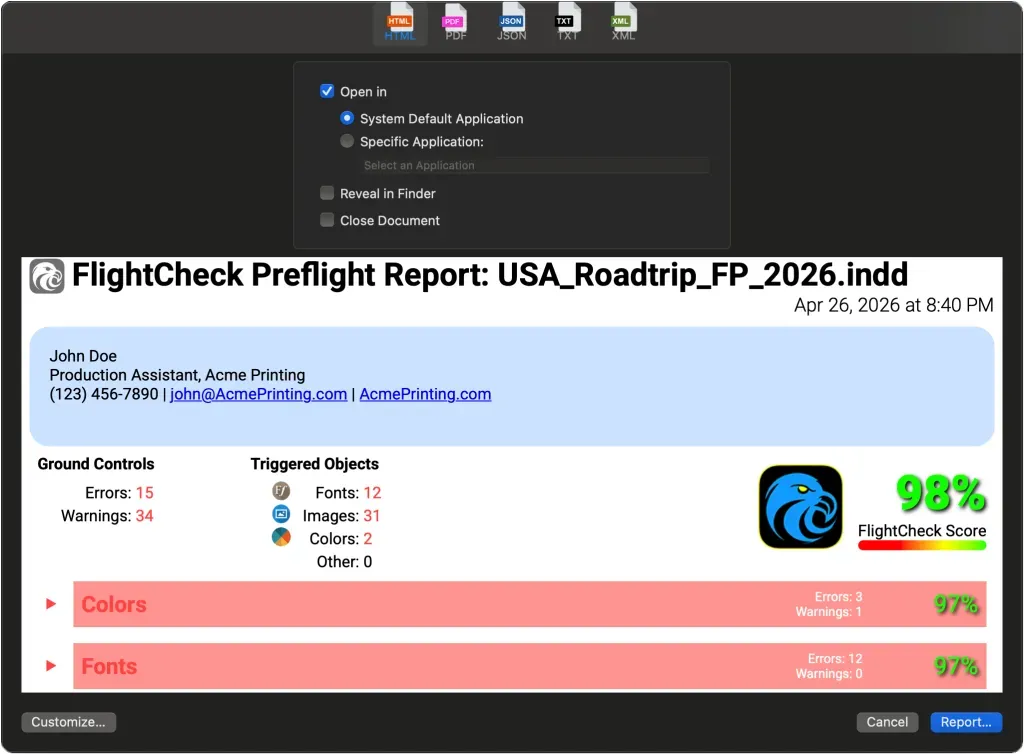
FlightCheck Custom Report (Dark Mode)
With Automation Preferences, AppleScript support,
and a Custom URL Scheme, FlightCheck will have no problem integrating into most automated workflows.


FlightCheck Toolbar (Dark Mode)
Following are examples of how FlightCheck helps you to automate tasks!

FlightCheck Automation Preferences
(Dark Mode)
Set up FlightCheck to automatically create an Inventory Report. Choose where the Report will be saved, how to handle duplicate file names, and the 3rd party application to open the Report.
FlightCheck can be configured to automatically Package files. Specific settings allow you to choose how the Package is created.
Workflows can be configured, with a simple Automator Folder Action, to do things like watching a Hot Folder for new files, automatically creating an HTML Inventory Report, and emailing it to your document production department using Apple Mail.
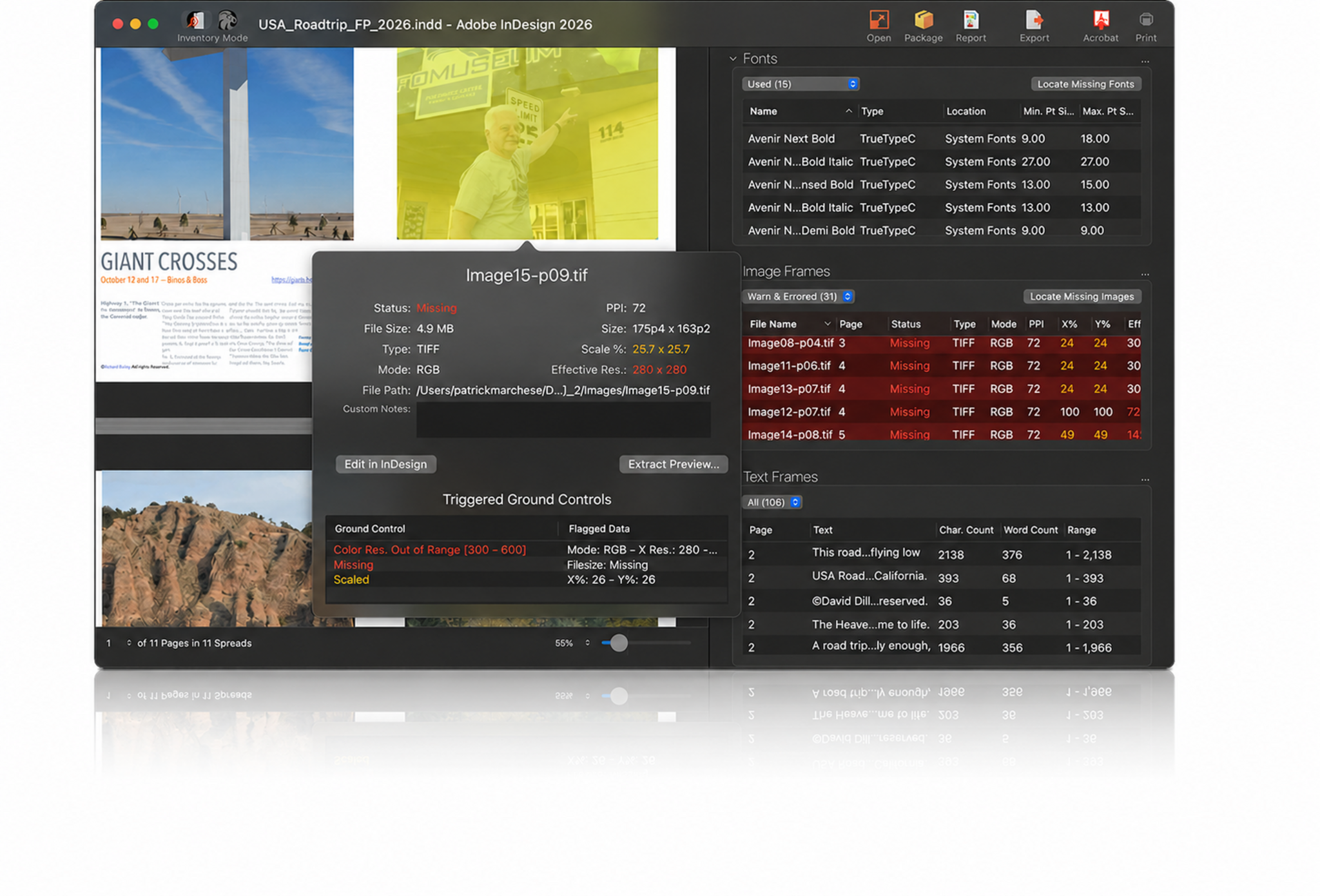
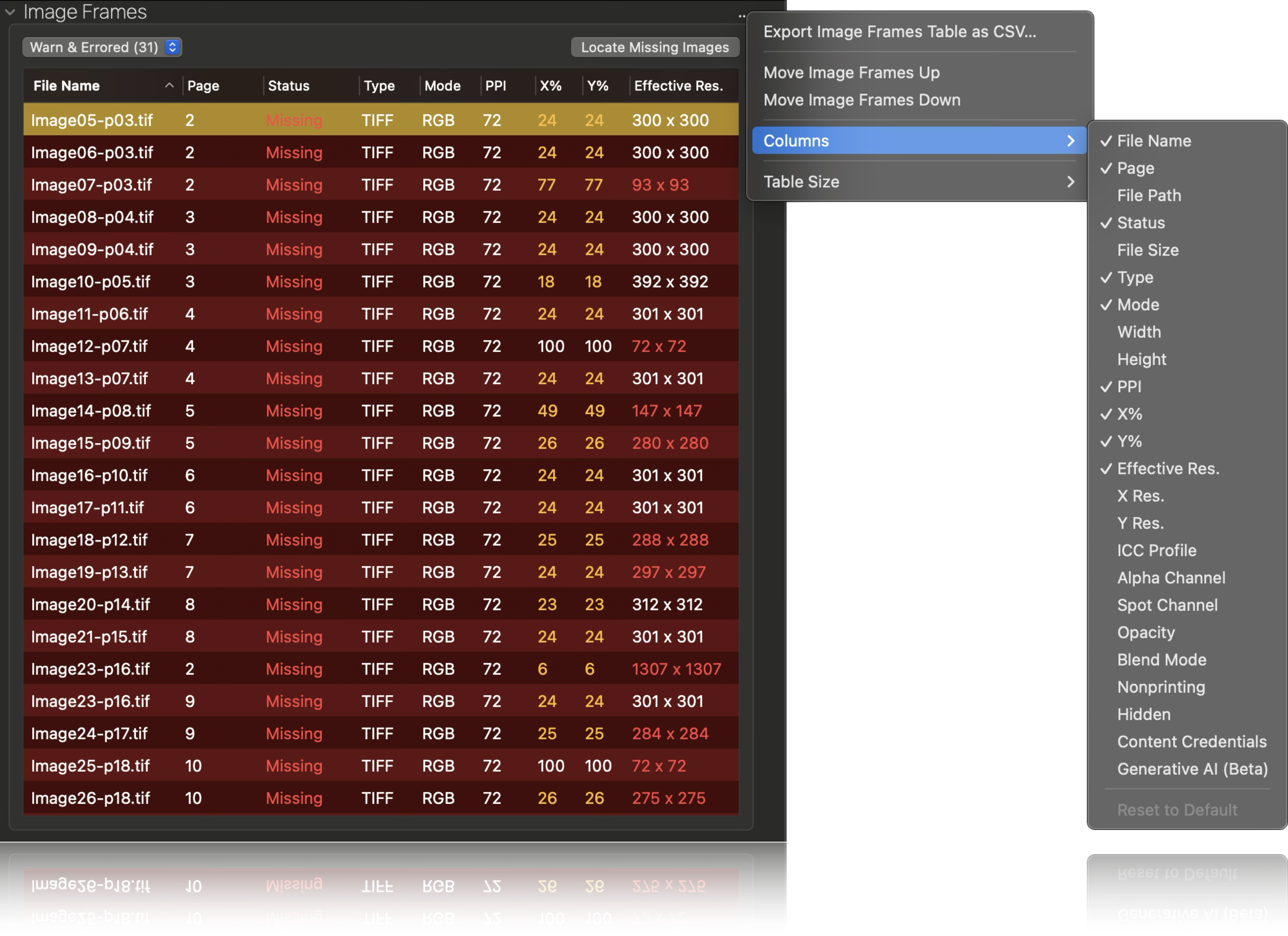


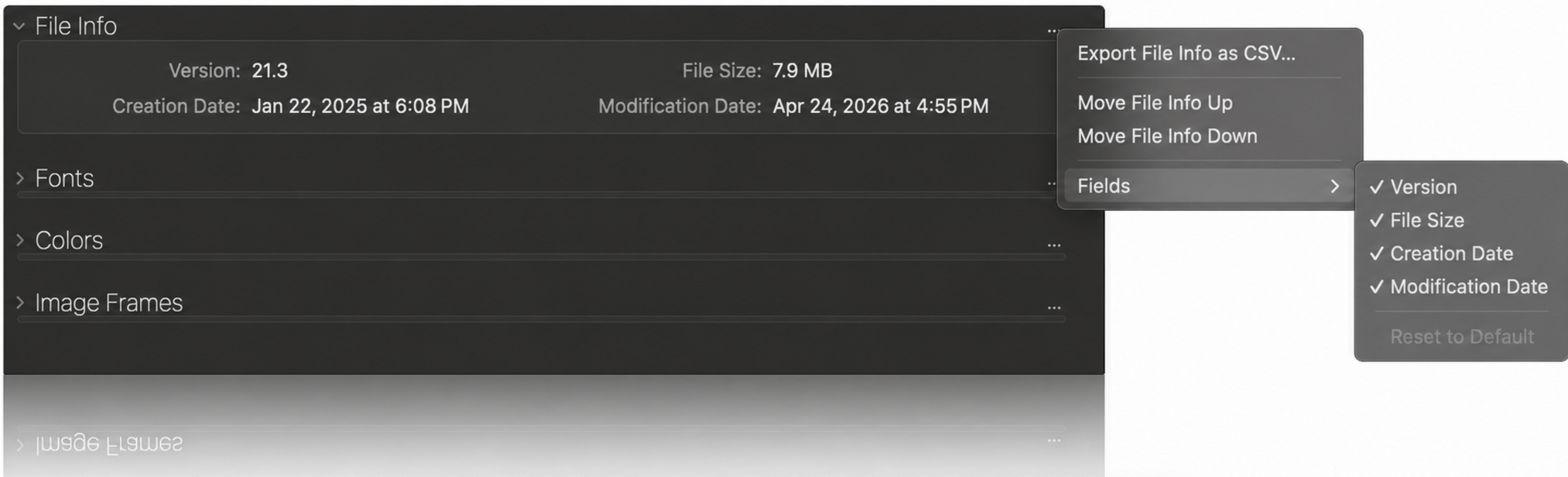



FlightCheck helps creative, prepress, and print-production teams inspect incoming files, identify production problems, generate professional reports, and collect complete jobs—without opening the original design application.
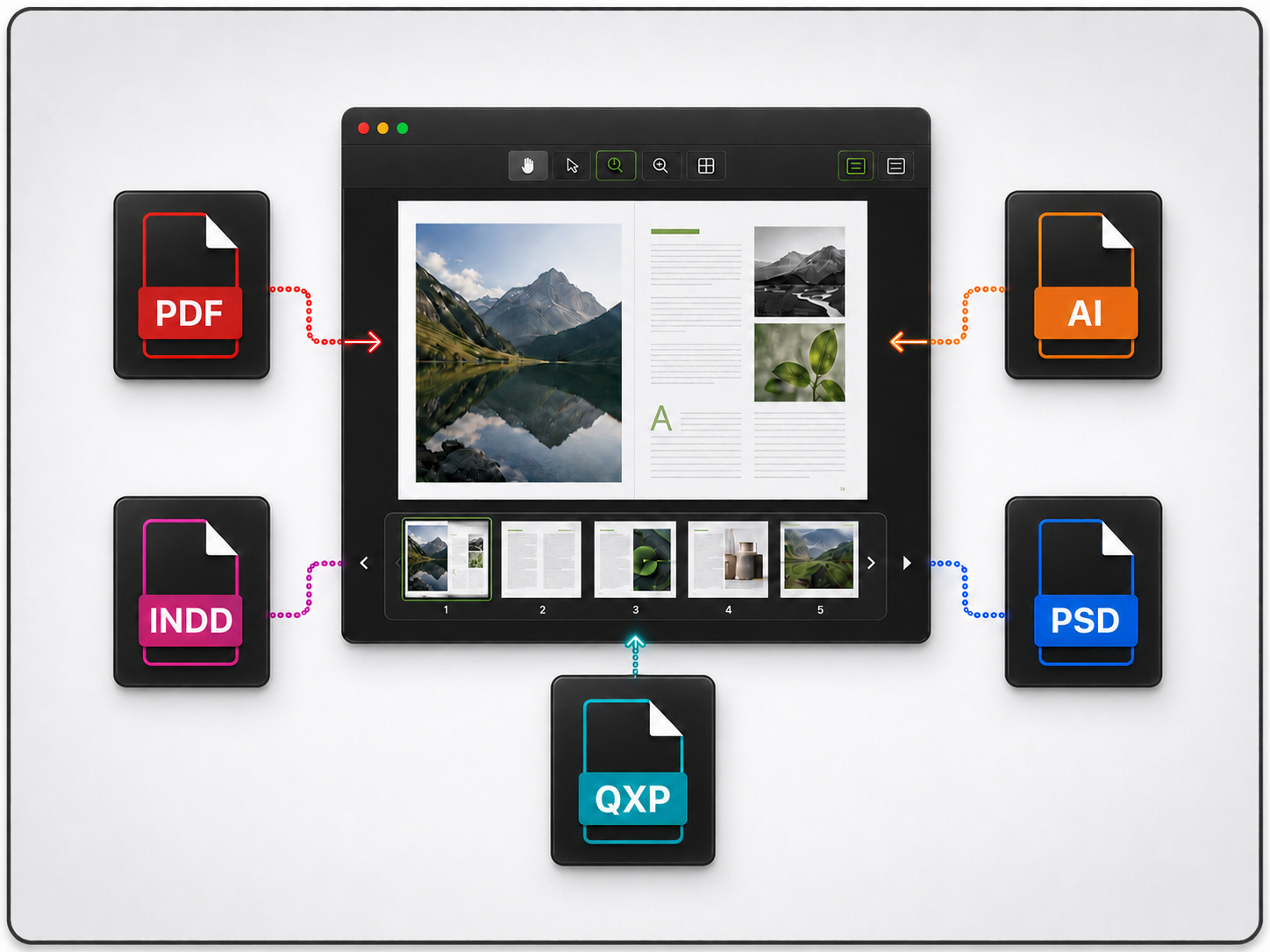
Preview PDF, InDesign, Illustrator, Photoshop, and QuarkXPress files without opening the original design applications.
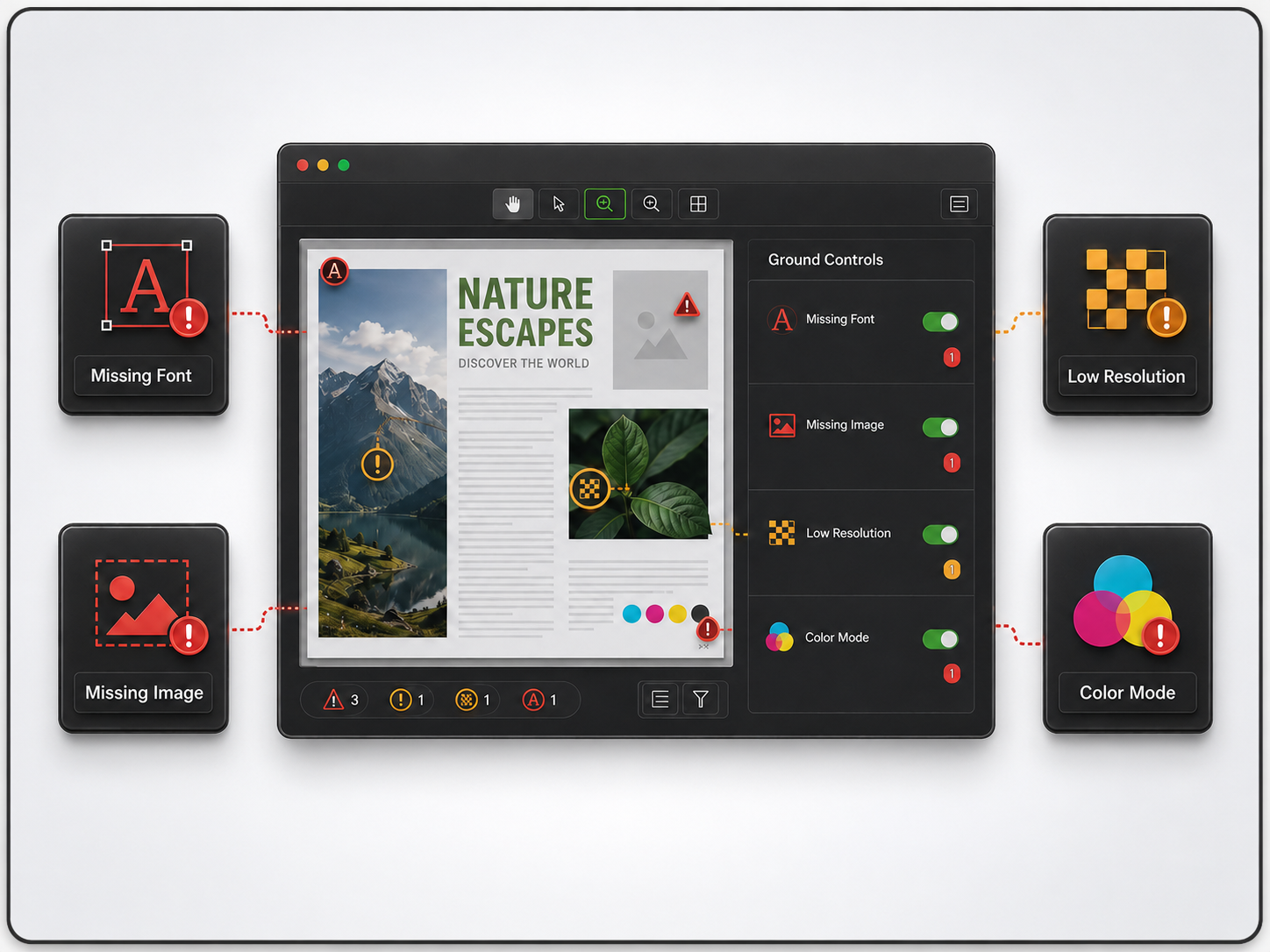
Detect missing fonts and images, low-resolution graphics, incorrect color modes, and other production risks using customizable Ground Controls.
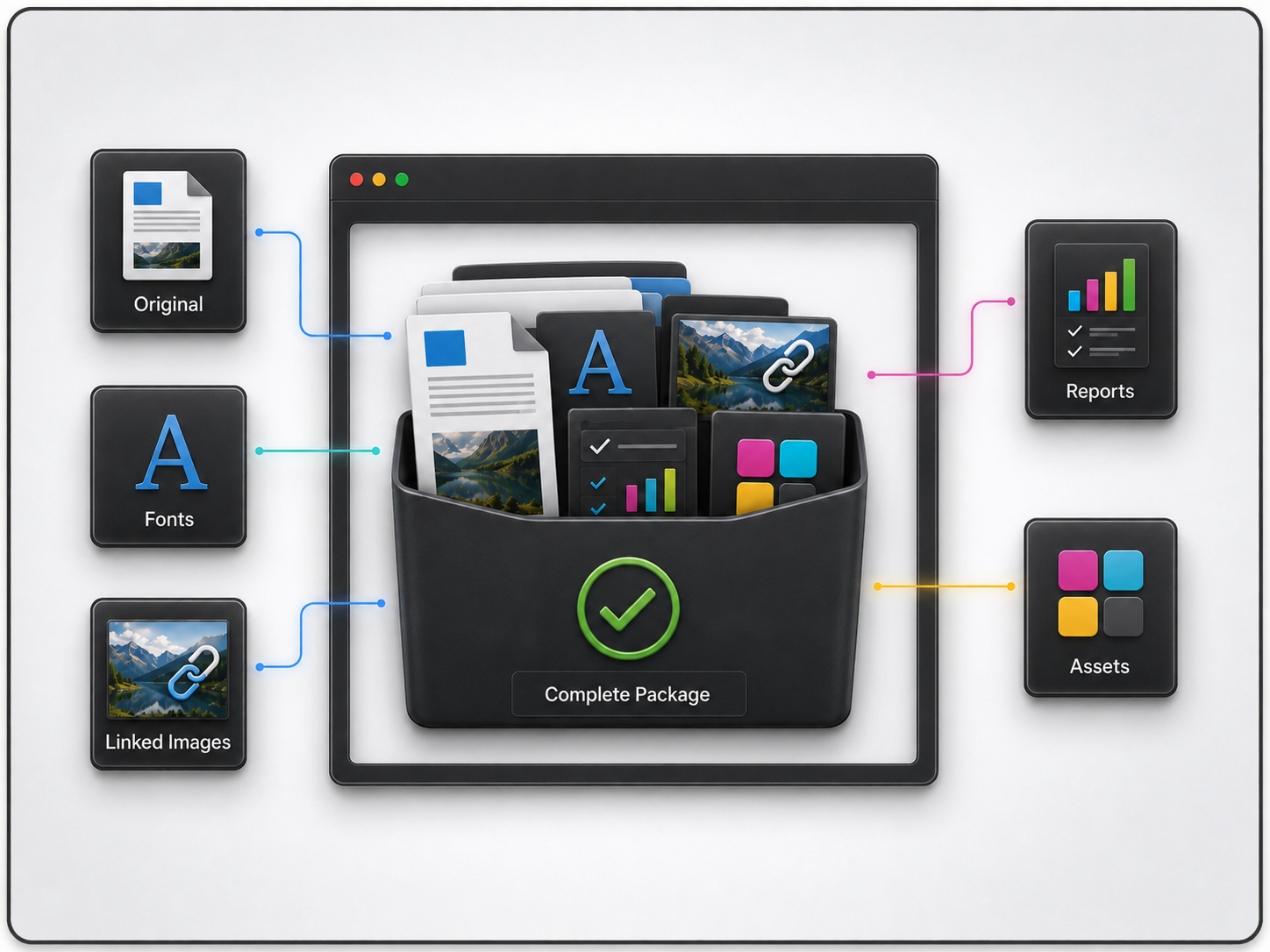
Collect the original document, fonts, linked images, reports, and other required assets into one complete package.

FlightCheck can determine if the contents of a package are complete and print ready, and have a preview of what the files look like … Huge efficiency and productivity saver! …
I package files for archival with confidence, knowing all the assets have been collected. FlightCheck has the ability to automate my workflow. Win, Win!
– Amybeth Menendez,
Assistant Manager of Print Workflow at Macmillan

My workflow is mostly in the area of pre-press. So, I’m taking files from various artists and, on a daily basis, I receive the file … And the first thing I do is I run it through FlightCheck. … So glad Markzware is accommodating all the changes in computers and software — couldn’t work without FlightCheck!
– Terri Wright, Owner/Principal at Book Lotus Productions, LLC + Production Director at Workbook Creative, Inc.

As a company active in Prepress, using the FlightCheck program was very valuable to us. Using this application can improve the production and lean printing process.
– Reza Alee, Packaging Quality Control at Sigmapackprint + Prepress Tutor at Alee Art Group + Editor In Chief at PrepressMag + Content Manager at Privoca + Business Partner at
Prepress Daily Group
Submit your review | |
Mark A Singelyn has been such a great help with any issue I had.
At first I didn't want to use the new format because the old one had everything I needed. But as I went along if there is something I needed Mark or his team would improve it, I use this program everyday and without it I would be so behind on my work.
Such a time saver! Great product. Wish I had discovered it sooner.
I have used the earlier FlightCheck Pro for a long time. I was already excited about the new version during the beta phase. And this positive attitude has proven itself during productive use in our workflow. The only thing we wish for is a Windows-compatible version for Christmas ;-)
So glad Markzware is accommodating all the changes in computers and software -- couldn't work without FlightCheck!
I have been a fan of your company and team since forever! WOW! I don't even remember not being a fan, a patron and supporter through promotion. Your tools have helped me in some tough times. I have used different tools at every single job or client since my first encounter and opportunity to use them. Thanks for helping change and make a difference in what we do, have done, and will do. Nothing happens in this world until those of us in the Graphic Communications Industry does something with it. Thank you for all your hard work in making it 'a little bit easier'. FlightCheck has saved my life back in the day!
As a company active in Prepress, using the FlightCheck program was very valuable to us. Using this application can improve the production and lean printing process. Reza Alee, Prepress Manager
Prior to upgrading to Mac OS Catalina, I'd used your software faithfully for about 17 years. It is great to see it available again! Functionality is easy to navigate, and the new look is a great update on the original!
I have used the earlier FlightCheck Pro for almost 2 decades. It helped me prevent disasters in production and frequently improved my PDF output. For some time now, the solution was outdated. The new FlightCheck 2022 puts it back on the map. Fast, simple to use and way more intuitive as the earlier version, this excellent tool will be a constant companion to my prepress work. Good work!
Markzware has done it again! FlightCheck 2022 is a game changer! Yes, I said game changer! FlightCheck 2022 preflights PDFs, InDesign, QuarkXPress files, and opens with NOT the embedded preview, BUT THE ACTUAL DOCUMENT PREVIEW from the documents assets! And ... (drumroll please) did I add that it is not necessary to actually have the specific software? I can determine if the Quark files that a contractor has sent me are complete and print ready, without having that particular software on my computer. That also means sales, and/or production persons that have FlightCheck can determine if the contents of a package are complete and print ready, and have a preview of what the files look like before handling off those files to prepress with confidence! Huge efficiency and productivity saver! No more kicking back files and losing time. When I finish working on a job, I package files for archival with confidence, knowing all the assets have been collected. FlightCheck has the ability to automate my workflow. Win, Win! If you have used FlightCheck in the past, you really need to 'test-drive' the newly revamped 8 cylinder FlightCheck! Vroom Vroom!
I'm pleased to see that this FlightCheck release works seamlessly on newest versions of Mac OS. Nice new intuitive user interface, and FlightCheck Score is a bonus. Looking forward to continuing to use this powerful tool --for print and digital environments alike.

macOS
| Hardware
|