
Online File Converter for Canva PDFs,
Adobe InDesign, Affinity Publisher, Acrobat, Photoshop, QuarkXPress & Illustrator: MarkzPortal
MarkzPortal is Markzware’s Software as a Service (SaaS) solution that provides flexible online file conversion. This comprehensive document converter in the Cloud can particularly benefit graphic designers and other creative professionals who handle multiple document types. Learn about MarkzPortal’s main features, benefits, and where to start converting files online, today:
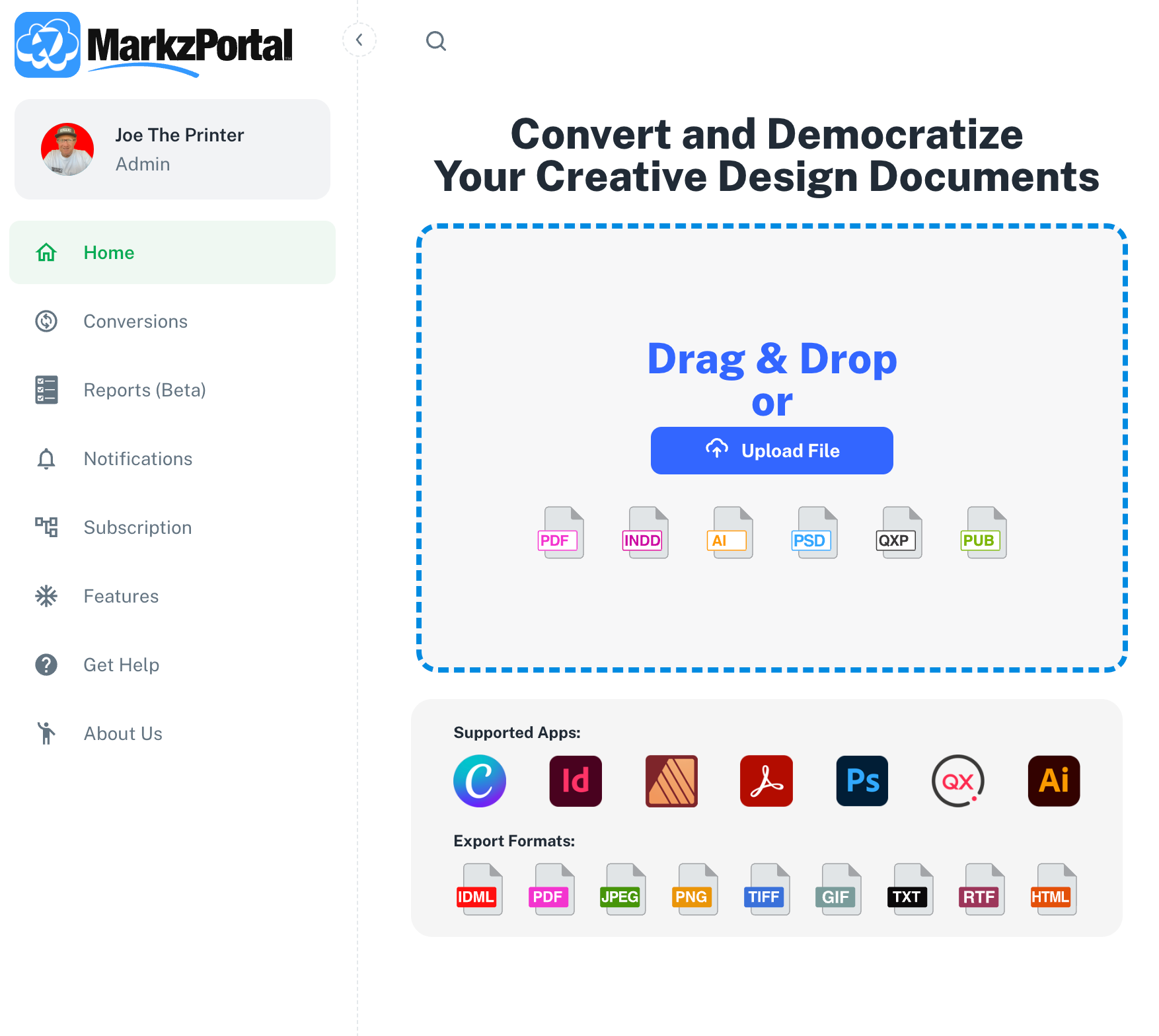
Key Features
Supported Formats: MarkzPortal will convert many document types, including Canva PDFs, Adobe InDesign, Affinity Publisher, Acrobat, Photoshop, QuarkXPress, and Illustrator.
Output Formats: MarkzPortal will export documents from the above Supported Formats to many document types, including IDML, PDF, JPEG, PNG, TIFF, GIF, and more.
Text and Image Extraction: MarkzPortal will extract styled text stories as image files and text files, including Plain Text (TXT), Rich Text (RTF), and HyperText Markup Language (HTML), while preserving formatting, styles, and colors.

Ease of Use
SaaS Platform: Drag and drop files onto the user-friendly MarkzPortal interface, select your format from the “Export Format” drop-down menu. Then click the “Convert” button, for the file conversion to start. No need to download software. The file is converted in the Cloud through the MarkzPortal web site. Click the “Download” button and find your converted document in your Downloads folder.
Preview and Convert: See a preview of your documents prior to file conversion, to ensure you are uploading an accurate, quality draft document.
Additional Benefits
Collaboration and Sharing: Easily share and collaborate on converted files, by getting your content into the file type required by your contact.
AI Integration: Upcoming features include detection of AI-generated art files and advanced reporting of file details.
Start Converting Files Today!
Sign Up for free on the MarkzPortal web site and select your monthly or yearly plan. Plan options include Basic, Standard, Premium, and Custom plans either for PDF, Illustrator, InDesign, and QuarkXPress or for PDF only.


Share This Article with Your Contacts
We hope you found our article on file conversion in the Cloud with MarkzPortal to be helpful. If you think your colleagues or industry contacts would benefit from this information, we’d be grateful if you could forward it to them or share it on social media. Thank you for your support in helping us spread valuable insights within our industry. Here is the link to share:
https://tinyurl.com/OnlineFileConverterMarkzPortal
PDF & DTP Software For Creatives & Content Creators
Markzware offers software for creatives and other content creators to preview, preflight, export, and convert PDF and desktop publishing documents. Become a Markzware Reseller or a Markzware Affiliate.

To get the latest news about Markzware products and print industry-related news, join our mailing list. You can also follow Markzware on X, LinkedIn, YouTube, Facebook, and other social media websites.
Online File Converter for Canva PDFs, Adobe InDesign, Affinity Publisher, Acrobat, Photoshop, QuarkXPress & Illustrator: MarkzPortal





