
Select the option that fits your workflow.
OmniMarkz SE for Windows: Convert Microsoft Publisher, InDesign, PDF, and QuarkXPress to IDML

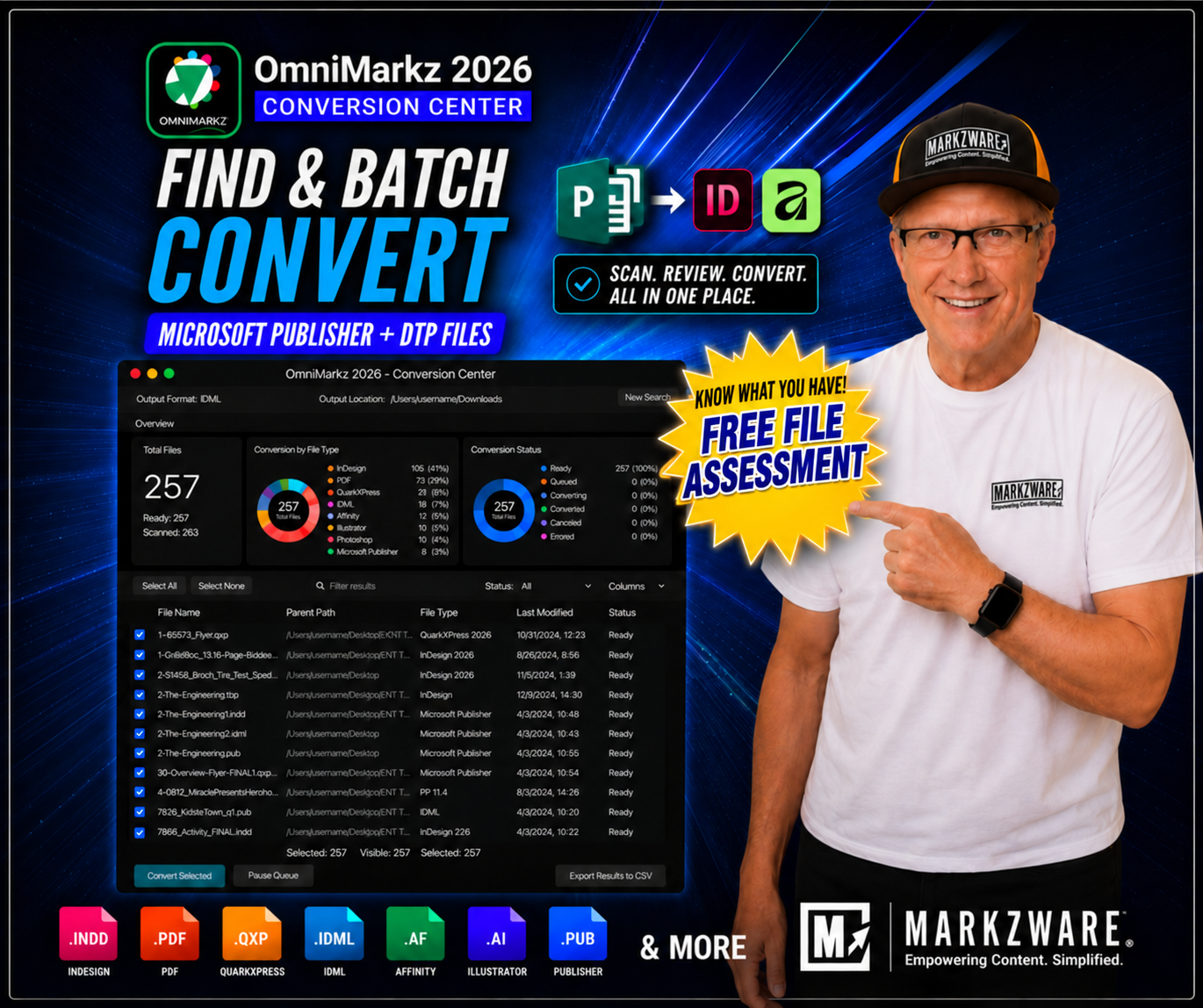
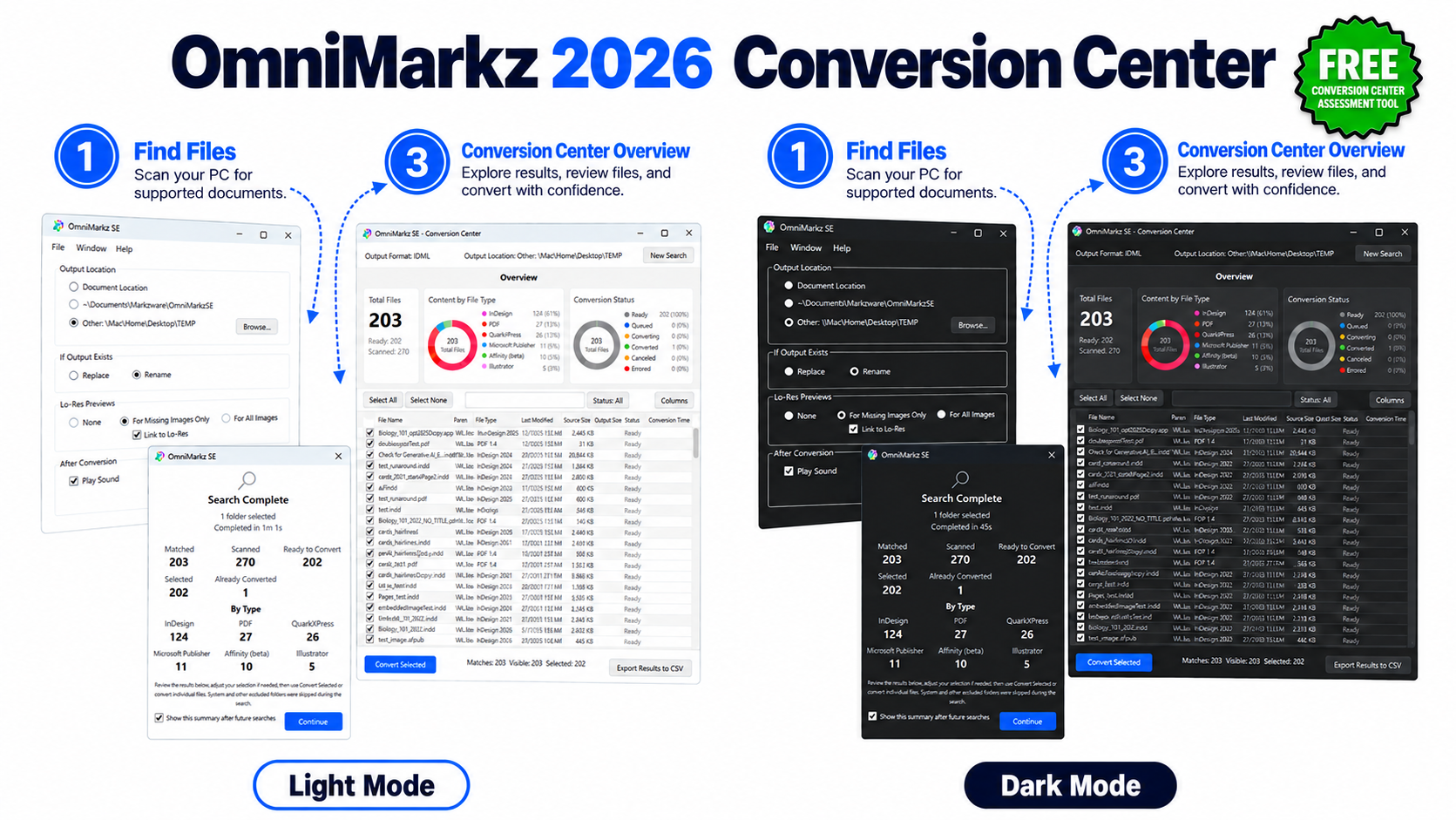
OmniMarkz SE Conversion Center for Windows is available in both Light Mode and Dark Mode, guiding users through a simple three-step workflow: (1) scan the PC to find supported documents; (2) review the completed search summary to see how many files were found, scanned, and ready to convert; and (3) open the Conversion Center dashboard to review file details, select documents, and begin batch conversion.
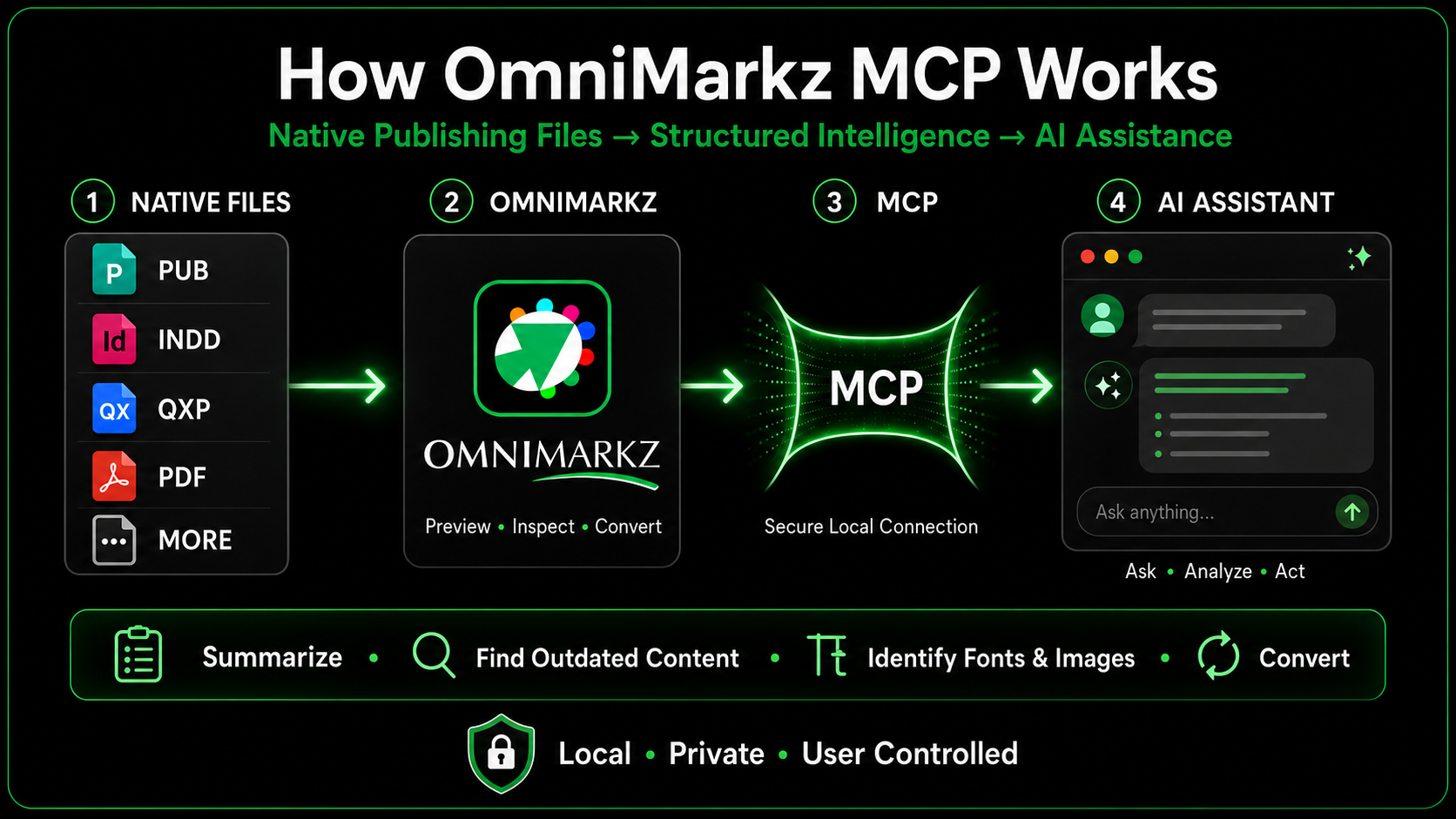
OmniMarkz 2026 includes a built-in Model Context Protocol (MCP) server that connects supported publishing documents and OmniMarkz conversion capabilities with compatible AI assistants, including ChatGPT, Claude, and Cursor.
Using natural-language instructions, you can ask a compatible AI assistant to:
OmniMarkz MCP reduces the need to open files individually or navigate every conversion command manually, making professional publishing content more accessible for analysis, migration, automation, and reuse.
REUSE YOUR CONTENT ONLINE
Use the Design File to WordPress skill with OmniMarkz and a compatible AI agent to turn supported Publisher content into editable WordPress drafts—with headings, paragraphs, and available images ready for review.
Follow the setup guide, connect your WordPress site, and try a sample publication. Review reading order, images, fonts, and layout before publishing; complex print designs may need adjustment for the web.
Creates drafts for review. Nothing is published automatically. The guide also covers InDesign, QuarkXPress, and PDF workflows.
OmniMarkz® SE is a powerful combination of Markzware’s three popular Windows conversion tools, QXPMarkz SE, IDMarkz SE, and PDFMarkz SE.
With OmniMarkz SE, you can now convert Microsoft Publisher, InDesign, QuarkXPress, Affinity, as well as PDF documents all via a single stand-alone application. OmniMarkz SE enables users to convert Adobe InDesign 2026 through CS4, QuarkXPress 2026 through QuarkXPress 3, Affinity Publisher 2.6.2, and PDF documents to many other DTP file formats.
Conversion possibilities include: Microsoft Publisher to InDesign or Affinity, PDF to InDesign, InDesign to Affinity Publisher, QuarkXPress to InDesign, InDesign to QuarkXPress, InDesign to IDML (lower versions of InDesign), and much more!

Markzware has long been known for file conversion and preflight technology. Now we take it a step or two further, with our standalone File Inventory, and Conversion application, OmniMarkz SE!

OmniMarkz SE enables you to export Microsoft Publisher, InDesign, QuarkXPress, and PDF files to IDML. Open PUB, .INDD, .QXP, and .PDF files in many DTP applications!
 Preview Microsoft Publisher, InDesign, Illustrator, QuarkXPress, and PDF Conversion Center: scan and inventory files
 No exporting No opening in other applications No annotatable PDFs Export as IDML Open in ID, QXP, Publisher, and more 12 months of updates included Export as IDML Open in ID, QXP, Publisher, and more Optional Upgrade charges may apply
OmniMarkz SE simplifies the process of opening and converting publishing documents on Windows. Drag and drop supported Microsoft Publisher, Adobe InDesign, QuarkXPress, Affinity Publisher, or PDF files to convert them to IDML for editing and reuse in compatible applications, without requiring the original software.


“OmniMarkz SE combines PDFMarkz, IDMarkz, and QXPMarkz into one integrated solution, helping graphic designers convert PDF, InDesign, and QuarkXPress documents. It supports content sustainability by allowing organizations to repurpose existing content without the expense of redesigning entire documents.”
— Victoria Gaitskell, Writer / Consultant / Project Manager

“OmniMarkz SE enables users to convert Adobe InDesign, QuarkXPress, and PDF documents to IDML through a single application, without requiring the original applications or plug-ins. It also supports PDF files created by applications such as Canva, CorelDRAW, and Apple Pages.”
— Zac Bolan, Writer / Columnist, PrintAction Magazine (Annex Business Media)

“Markzware completely revolutionized the way I work. With OmniMarkz SE, I can accomplish in minutes what used to take hours. The software is intuitive and lightning-fast, and the customer service has been incredibly helpful. I definitely recommend Markzware!”
— Cal Derreberry, Lead Publications Associate, Broadway Licensing
Start with the free OmniMarkz SE Conversion Center assessment for Windows.

Windows • Windows 10 | Hardware • 4 GB of RAM |
[Direct InDesign IDML Import in QuarkXPress]
*QuarkXPress 2017 or newer is required to open the exported IDML file.
[Compare the macOS and Windows products]
You see this message because you are visiting a Windows product page from a macOS system.
This version will NOT run on your macOS system.
— If you plan on running this application on the same system you are on right now, continue to OmniMarkz for macOS —
— If you plan on running this application on a Windows system, continue to OmniMarkz SE for Windows —
OmniMarkz SE for Windows
(PDF, Adobe InDesign, & QuarkXPress to Adobe InDesign, QuarkXPress, & Affinity Publisher)

Structured tools for opening, inspecting, converting, and reusing complex publishing documents.


