Convert To/From Graphic Apps +
Preflight PDF for Accessible Print
The following video is on INKISH.TV, in which Morten Reitoft, Editor-in-Chief & CEO at INKISH, interviews David Dilling about preflight and file conversion application products by Markzware:
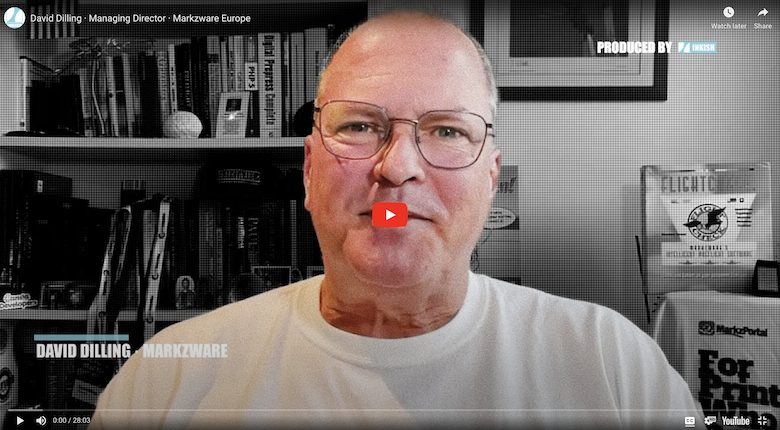
Video: David Dilling · Managing Director · Markzware Europe
Video Source: https://inkish.tv/inkish-video/markzware/
Video Description:
In this interview with David Dilling from Markzware, we learn about the new Markzware portal that enables conversions of different formats online. You may think this is less important today, as many formats already are inter-exchangeable, but that is not the case; with Markzware, you get options to convert to and from some of the most used graphical applications in the market – but you also have the option to get your PDF files pre-flighted for more accessible print and handling – but listen to David Dilling and enjoy the next almost half an hour!
Source: https://inkish.tv/inkish-video/markzware/
Video Transcript
Morten Reitoft: Good Morning! This is Morten from INKISH and, see, a couple of weeks ago I posted a short little message on LinkedIn, saying that anybody who wants to talk to me is welcome to reach out, because I’m always both curious and I also think it’s important to give air time to, not only the big vendors, but also the small vendors. And, today, I have the pleasure of talking to David from Markware [Europe]. So, good morning and welcome, David.
David Dilling: Good Morning! Thank you, Morten, for having us, and thanks for Mary Gay, for setting this up.
Morten Reitoft: Yes, I mean, for sure, last time you and I met online that was during the COVID, where we had a wonderful talk about old Bibles and that you live in the Netherlands, and that … Is that still a passion for you?
David Dilling: Oh, yeah, yeah. Matter of fact, I just read “The Justification of Johannes Gutenberg”. I still recommend anyone in printing to read that. It’s a novel based on factual information and the Bible. I think you can still see it, right there.
Morten Reitoft: Yeah, yeah.
David Dilling: I just found, a few months ago, like I said, in the … It’s an old family Bible from the 1800s English Bible. And I find hairs, and pins, and I found an old piece of letterhead in there, like this …
Morten Reitoft: Oh, really?
David Dilling: … woven with an icon, sort of a watermark. And I still haven’t figured out who made that, but I’m still, anyway, it’s … I’m always finding something new in that Bible. It’s amazing!
Morten Reitoft: I was thinking maybe if you, with the hair, you should make a DNA test and run it in my hair test, because it could be fun to see if you had, like, how widespread the Bible has been, like also geographically. I think that could be fun.
David Dilling: Wow! Hey, that’s a good idea, Morten! Yeah, yeah. And I find all … I found seeds in there and little parts of, like, bark or trees, I mean. So, yeah. Good tip! So, …
Morten Reitoft: Fantastic! As fun as it is, talking about Bibles and findings, we have to talk about something a little bit more serious, today, right? Before we talk, because you’re launching a new platform that we’re going to talk about, but, before we do that, Markware has been around, for quite some years. And, maybe, you should just tell a little bit about the history and how you got started, because, essentially, I think that you’re still doing many of the same things, but the world has changed around it, right?
David Dilling: That’s right. We … Markzware has been amazing at adopting. And we started out, and I guess it was 19 … the early 90s, basically. Patrick Marchese and Ronald Crandall, they got together. Pat had the need, at the agency where he worked, Foot, Cone, and Belding, and Ron had the programming skills with PostScript. Post code, PostScript, and all that stuff, so, …
And they both worked at a racing forum. And they got together and they started their first products, which was, basically, FlightCheck and file conversion tools, which we still do, today, preflight and file conversion. And we’re talking file conversion, like PageMaker to QuarkXPress and FreeHand to QuarkXPress. And that’s how it all started out.
And, then, as things shift and the market changes went from InDesign to QuarkXPress – and that’s where we still are, today, actually. And there’s just been so many different file conversion things we’ve done and still do, which really makes it interesting, because we’re still here, today.
Morten Reitoft: I mean, when you talk about these file conversions, that was actually way before INKISH. That was the first time I got in any contact and any knowledge about Markzware, because I was working at a publishing company, and we used QuarkXPress for the first, like, five years. And, then, we changed to InDesign.
And, then, we wanted to reprint things, and it was in Quark, and we could not figure out how to do that. So, that was like … I mean, that was like … That was in the early ’90s, actually. I think we started that magazine in ’92. So, from ’92 to ’98, there was a period of time, where we were aware of … I mean, I didn’t know you, of course, but we were aware of your products and used the service from you.
So, that was a … That was amazing to think back of, because, I mean, today, I have a friend that used to work in a big, big project, converting these inlays from medical packaging, from QuarkXPress to InDesign, where you need to be very, very certain that everything is accurate …
David Dilling: The letter size, the point, the font type size, and everything is perfect. Yeah.
Morten Reitoft: So, I guess that those kind of things is, like, really … Also, just as an example of a use case, where Markzware is really valuable, right?
David Dilling: Yeah. I mean, how did you … ? I mean, it saved you a lot of time and hassle. Just by one click, it was more or less converted, correct? And that …
Morten Reitoft: Yeah. There was a few hiccups, but, remember, this was like early days for both Quark and InDesign, so …
David Dilling: Yeah.
Morten Reitoft: So, therefore, there could be like … But it was like it saved, like, 95% of the time. And, then, you reviewed the document, anyway. You would probably have done that, anyway. So, I just remember this as that value was like, yeah, basically, saved a deadline, basically, right? So, that was, like, very important to us.
David Dilling: Yeah.
Morten Reitoft: So, that was, like, very important to us.
David Dilling: Yeah, you’re exactly right. And medical stuff and, actually, any document that gets converted, they want it perfect and that’s where we get down to the point size, the H and the Js, justification, the colors. Everything gets converted over and, like you said, with medical stuff, there’s certain, very strict requirements they have to adhere to. So, yeah, you’d better check, after you convert. That’s for sure, but it’s a pretty good … It’s a pretty easy process.
Morten Reitoft: And, today, I mean, because, if you look at the market, today, I’m not saying that Adobe has a monopoly, but it’s close, right? So, I was just wondering. Is there still like a huge need for these conversions between different formats or has it widened, also, to be more like consumer products, like we spoke about Apple Page, like that … Is that also part of the conversion process, today, or …
David Dilling: Right. Well, actually, the market is very, very interesting, right now. And, when you look at Markzware, okay, we have a lot of printers in our portfolio, but a lot of our business is up the funnel and right up to creatives, and freelancers, and community churches, and everything in between, right? So, and there the switch is on, because Adobe is just too expensive. It always has been for some of these, way up. And, for others, a lot of people are switching from InDesign and Adobe to alternatives, like Canva’s Affinity. Canva, recently, bought Affinity and …
Morten Reitoft: Oh, I didn’t know. Okay.
David Dilling: Yeah. So, Affinity is a low-cost Creative Suite type of … Creative Cloud type of alternative, with your InDesign, Affinity Publisher, and your Designer. And, so, it’s a very interesting, very low cost, but it does, more or less, what needs to be done, for the average user. So, professionals still, of course, prefer InDesign. And, so, yeah, we’re getting a lot of people that want to go back and forth and around.
And we get, now, Canva and, of course, Adobe Express, which is making huge leaps and bounds, just at the MAX show, they had some great new features and functions. And, yeah, this whole online creativity is a whole new avenue and opportunity for printers, as well. So, it’s very, very interesting.
Morten Reitoft: When you do the conversions, for example from, let’s say, the types of applications that you just spoke about … I mean, often, when you go to an application, you have Export opportunities or Save As opportunities. And would you say that your conversion tools are way better than when you have an application that, let’s say, is capable of saving in a different format, because, I mean, you … I guess that you, also, you really look into the files, because, when you have, like, the point to point, the color to color, and all these kind of things, I guess, that you always have to look into the, let’s say, the file and understand what the intent was, with the file, as well, right?
David Dilling: Exactly. So, what was interesting, last time we talked, we were in the middle of that pandemic. And we had, totally, … We were busy, totally rebuilding our engine to completely stand-alone. So, now, we have completely stand-alone technology, with APIs, and the whole nine yards, which is part of what the portal, which we’re pre-releasing. But, yeah, so, we see inside the files, like an x-ray, so, we read that in, but we can also write that out. And, often, we’re writing out as IDML, which is an XML-based, InDesign Markup Language, which is from Adobe, themselves. But many tools will import IDML, because it’s an open standard.
Morten Reitoft: Okay. Yeah, because I remember from, also from InDesign, I’m not … I’m using InDesign for our magazines, but, as we don’t publish so many magazines, I’m not like a very frequent user, but, with IDML form, that was also what was it called. Adobe had this InDesign kind of online-proofing platform, where you didn’t have to have InDesign, but where you could use IDML files for the same purpose. So, basically … So, Markzware, is basically taking all the formats that you get, read them, understand them, and then output as as an IDML format, which is essentially an XML file, where you have the definitions made by Adobe, right? Or something like that.
David Dilling: Exactly. And there’s other Export options, as well. We go to PDF and we go to other things, too. So, image formats and there’s other possibilities that we’re working on, as well, so, … But IDML is like, yeah, like you said, Adobe’s the king and, yeah, why fight the king?
Morten Reitoft: Yeah.
David Dilling: So, that’s why it says on the back of our shirt we’re here to help Adobe, as well as other users, like Canva, or Affinity, or whoever it is, to act as a Switzerland of the industry, to help people interchange format. So, they can, ultimately, print them, right?
Morten Reitoft: I guess it’s the same because, I mean, when we edit films, … I know that you also like filming and editing. So, when I use … I have different editors, because some editors are very good at, for example, the format that we’re having, right now, and some are more like creative for … Let’s make, maybe, more like teasers and and short forms you like that.
So, I guess it’s the same with designers. They, sometimes, like Photoshop, they sometimes like InDesign and, sometimes, they like alternatives, because they give them other options for working. And, therefore, of course, there’s a need for this conversion thing, here. Is it a … Is it … ? You said that, right now, there’s, like, a lot of opportunities in the market. Is it because it is getting more and more complex to, basically, swap and exchange files, instead of using PDF, or is it more because people are … ? I mean, I think that, also with Canva, the democratization of design is even further spread than it was, in the past, right?
David Dilling: Yes, that’s right, because they offer a very good free package, which anybody, I mean, my kids are using it, my wife is using it, and they give it away for free to all educational and nonprofits. So, it’s a very easy application, and they pretty much approve anyone, who … So, this is really interesting. And, sorry, what was your question, again, about the …
Morten Reitoft: No, I was just wondering, because, I mean, you said it’s an opportunity for Markzware, right now. So, I was just wondering, because, if you have more and more users in the market, obviously, there would also be a bigger need for it, but … And that was why I was just trying to understand.
David Dilling: Yeah, yeah. Exactly. No. No, the opportunities, like I said, they’re getting more and more, now. Of course, on the printing side, they’re wanting PDFs and, for large commercial printers, they’re getting, primarily, 99%, or even 100%, PDFs, however, which was just great, at PRINTING United, because, now, we’re sort of relaunching, to go back into the printing market, stronger, with our new SaaS portal, is that, yeah, the same problems, same pre-flight problems that existed 10, 15, even 30 years ago, are still here, today, and that printers are not …
Morten Reitoft: We never learned, right, David?
David Dilling: We never learn, do we, ever? We want we want to have our early Friday afternoons and get to the weekend, and …
Morten Reitoft: We want our 72 DPIs, RGB color spaces, whatever we print, right?
David Dilling: And the average person printing, they don’t really care. they just want to have it print and print decent. So, this is what we learned at the PRINTING United, which we were invited there by Infigo, which was great. We have a partner solution with getting from Canva, right into their web storefront. So, they can they can adjust it, in InDesign, and then publish this.
Morten Reitoft: Oh, smart.
David Dilling: These sort of solutions are really, really interesting, but the average printer – and I’m talking about, like an average small printer, print shop, or sign shop, – they’re getting in all kinds of files, Photoshop, and CorelDRAW, and …
Morten Reitoft: PowerPoint.
David Dilling: … TIFF files, and you name it. So, they’re on the front line of all the problems.
Morten Reitoft: Does that mean that, for example, that, when you work with Infigo – and I guess that you can work with other web-to-print platforms, as well – does that mean that … ? Because, when I worked in the printing industry as a print broker and a printer, years ago, I remember, at the time, that, sometimes, you get files that are, as you mentioned, yourself, in different formats.
But even, sometimes, when people are uploading to the web-to-print solution, you see strange formats and strange packages of things that you never think, “Okay. Can this really be converted into something that is printable?” But that is what you say is, basically, by having the collaboration between you and Infigo, that basically means that, if people upload anything that is supported by Markzware, it will be converted to something that can be printed. Is that the idea?
David Dilling: That is, basically, what we offer to anybody. And, with Infigo, it’s particular for a flow going into their InDesign plugin for their storefront, to make templates. Okay, so that printing customers of theirs that want to make templates, they can, then, get it into the InDesign environment, update the template with the tags that they need, and, then, it’s ready to go.
But the problem is these consumers, and designers, and people upstream are creating a lot in Canva or, maybe, Adobe Express, in the future, here, and these type of tools. And, yeah, they’re not really print ready. They don’t have bleed set correctly, most of the time. And there’s a lot of problems, and that’s where we come and try to help this flow go better.
Morten Reitoft: I’m talking about your pre-release platform. Is that … ? I’m just saying, in quotation, “just a move” to being cloud-based? Or does it offer any other changes that are significant? Or … ?
David Dilling: Yeah, there’s … It’s, basically, well, maybe I can show it to you, if that’s in moment.
Morten Reitoft: That’d be wonderful! That’s easier, right?
David Dilling: Yeah, maybe, it’s … because, basically, it’s what we have, now. It’s the same engines, but, then, in the cloud, the interface is different. It’s even simpler. And we already have pretty simple interfaces, so, it’s really great. But, maybe, I’ll just give you a quick tour, if you want to see.
Morten Reitoft: I would like to see it, yeah, please.
David Dilling: Okay. So, this is MarkzPortal. Anyone can come here, and sign up for free, and give it a whirl, try it out. And we support all of these different file formats coming in. So, whether it’s Canva, or Express, or InDesign, or QuarkXPress, or Photoshop, whatever.
And we export to various formats, including, of course, IDML, like I mentioned, which is most important for people wanting to do updates to their design and what-have-you. So, this is the interface. It’s real simple and easy. And you just take your file – and here’s a Photoshop file – and you just drop it on the MarkzPortal. And it takes a couple seconds, particularly for larger layouts, to work.
Morten Reitoft: Of course.
David Dilling: This is a 46-megabyte file. So, it’s, actually, going relatively quickly. It’s drawing in the preview.
Morten Reitoft: Okay. So, this is a Photoshop file that you are converting to what?
David Dilling: There’s a Photoshop file that I’ve been working on, from, I think I saw you, at Atomyx. And that’s our good friend, Bernd Zipper, who I, yeah, saw you just interacting with, on LinkedIn, yesterday.
Morten Reitoft: That’s true.
David Dilling: He’s also amazingly busy.
Morten Reitoft: Yeah. He is, definitely.
David Dilling: So, this is the file. And you can get a preview of it. And, then, you can get different options, including file conversion. So, we can convert this file to IDML, or so-to-speak Adobe InDesign, or you can take it and go to other formats. But, if we just say, “InDesign” and we click “Convert”, it will now take this Photoshop file and convert it for whoever it might be. A printer, in this case, or another designer that needs to, or wants to, have it in Adobe InDesign.
Morten Reitoft: And, when you have … This is a brilliant example, because what you get, here, is that, like in InDesign, where you have the photo as a background, and then you have the text layer, and then you have the logos placed, afterwards? Or is it it’s not just a flat file, right?
David Dilling: Right. Exactly. Right. So, we extract all the images, all the images used in there, at resolution used. So, you see everything’s in there. And, then, you just go in there. And, there, you get your InDesign file. And this guy keeps popping up, my InDesign. So, now you can get in … Oops. Where did it go?
Morten Reitoft: I can see you have quite a few files open. So, …
David Dilling: Yeah, you can move your … You can move your images around. You can do whatever you need to do, right? It’s now fully … Oh. This is an interesting one. So, that’s an AI element.
Morten Reitoft: Yeah.
David Dilling: So, just a … little bit off topic, but, if I take that same file and I drop it on our FlightCheck 2025, just coming out, now, with CC 2025 support, for all your Illustrator, Photoshop, InDesign files. They’re now 2025 compatible. And we have a cool thing in the Ground Controls under Images. We’re now checking also for generative AI.
So, if I switch to … from Inventory mode to Preflight mode, you’ll see, here, we actually pinpoint that image, up there, is created with the AI. And we even see the prompt, with LED lights. Because, when I originally … So, all this technology in the cloud is based on our years of desktop technology, like FlightCheck, or PDFMarkz, or QXPMarkz. So, I didn’t like the background, there. So, I added that, up there, but … So, these … That’s the depth we can check into, even seeing things that are quite …
Morten Reitoft: Does that also, here, … ?
David Dilling: Just, do … Here, you can see we can, then, switch between Inventory report and Preflight report. And we can generate these reports. And, then, you can download them and view them. And you get a full inventory. Or, if you go back and do a preflight, … And, really, this is quite basic, at this time. And that’s why we were so happy to be at PRINTING United, to be able to get feedback from the printers and, basically, heard that, yeah, this is what they want. This is what they need. And you get a little Score. You see everything used in the file, and what is a problem, based on the Ground Controls, or preflight profiles.
So, really, our invitation to your watchers is to get more printers to sign up for this and tell us what they want. Do they want to get on the Desktop of their customers and check various files, whether it’s PDF or InDesign. We can check PDF files, as well, no problem. Drop them on the MarkzPortal, and it just comes right in. So, this was from the show. I always get hungry, when I see this one. So, that’s, basically, the MarkzPortal, in a nutshell. It’s all based on our APIs.
Morten Reitoft: What I like about it is the, as you said, yourself, it’s a pretty simple user interface and very … it supports all the files that you basically need for most of your work, anyway, right?
David Dilling: Right.
Morten Reitoft: So, that is super cool! And what is the business model? Is it Per File, or is it a Subscription, or how does it work? If, let’s say, I mean, I understand it’s like a free test, right now, but, when you are all ready, what is the deal, then?
David Dilling: Well, we have monthly Subscriptions and the, yeah, the preflight is totally free, right now. So, you can sign up and try it for free, but the actual file conversions, when you actually convert to InDesign, or to whatever, yeah, you have to pay per page, per document and per page. So, there are different packages, and you just choose the one that’s right for you. And it’s a Monthly Subscription that you can stop, any time. Yeah.
Morten Reitoft: So, it is like, I mean, it seems like a very convenient software, first and foremost, but it also seems, like, very friendly to your pocket, to your wallet entrance, because you don’t have any startup fees, or you just sign up for it, and then you get going, and then … And, with the APIs, is that also part of the portal, or you have to have a special, let’s say, subscription or model, when you use the APIs, or how does that work?
David Dilling: Right. For APIs, you have to sign up for that. And that’s on a … So, that’s only for, let’s say, more power users that really …
Morten Reitoft: Yeah.
David Dilling: We’re getting these very interesting contacts, now, because there are just so many people who need to convert thousands of files, every day, from PDF to InDesign. That’s one thing. Or people with other files that need to get InDesign into IDML in an automatic, automated fashion. Someone else needs to just get PDF previews of all the files that come in. They just want to have it, for thumbnails. Or they want to have PDFs and they just need it, real quick and easy. And file inventory, so we see everything used in the file.
So, with the APIs, you can, basically, create your own pre-flight device, in your own cloud solutions. And everything’s going cloud, of course, on the front end, so that’s very … It’s very, very, very interesting.
Morten Reitoft: And what about, I mean, because … Now, you say the front end, I mean, I guess that, especially when you have something that is file-related, sometimes, people can be nervous. Do you need to upload a lot of data, before you can get output? Because that could be become a bottleneck, in your production. But is that you offload some of the, let’s say, the processing to the local client? Or how … ? Should people be worried about that?
David Dilling: Yeah. So, you mean like, yeah. So, they … Yeah. So, now you’re …
Morten Reitoft: I’m just saying that, if you have, like, let’s say, thousands of PDF files and you need to, let’s say, convert them, right? They need to be uploaded, to be converted, right? So, that is …
David Dilling: Oh. That’s right. So, that, yeah, yeah. So, that is a little bit of a problem, with this sort of solution. So, this is, like you said, for onesie/twosies, or just here and there, using the service? If you have industrial needs like that, yeah, we can handle that? That would be via our APIs.
Morten Reitoft: Yeah, yeah, yeah. And, then, the local, yeah, Desktop product. Yeah. So, you’re, basically, serving both Desktop products and cloud-based solutions.
David Dilling: Right. We’ll keep the desktop products, as well. And a nice interview I had, just last week, with Matteo be online later, today. Matteo from one of the largest printers in Switzerland. And, like he was saying, yeah, it’s just a great tool. But, for people that don’t have $200 … Some designers might not want to waste that on one print job. They can use this to check or do their conversion and get the file they need to deliver to the printer, or touch it up and deliver to them. So, that’s what it’s all about, getting stuff to the printer and as quickly and as most efficiently as possible.
Morten Reitoft: David, when we spoke together, last time on camera, that was, as we spoke about, that was during the COVID. And that was a different, because that was more about you and more like personal things. But, if you look at Markzware, as a company, from the early ’90s until now, first of all, the market is, of course, changing how … Do you see your progress, in the nearby and, maybe, a little bit further distant future? Is there a continuous need for what you do? And how do you see your own development, in that context?
David Dilling: Yeah. It’s a very … It was a very difficult time for us, through the pandemic, but thank God we’re coming out of it. We … And the future looks very bright. And part of that is AI, like I just showed you how we can detect AI, but also, since we can read all this unstructured data, in all these disparate file types, whether it’s InDesign or Affinity Publisher or Microsoft Publisher, or PDF, we can, then, take that content structure, structure it for LLMs and GPTs and help people to further enhance their workflow with AI.
So, very, very exciting times, not only for content and that summarizing documents, of course, we can do that, but also for training your internal AI models, based on … Okay. Here’s all my design work from the last 30 years. Scan it in. With our engine, the AI can be trained on everything that they see from this company, over the years, and make its own engine more powerful, to help create AI images that match the style of this company, over years. So, that’s just some of the, yeah, a lot of very interesting things going on.
Morten Reitoft: I was just about to say, “Watch out,” because, if it takes all the errors, as well, from the last 30 years, just imagine the amount of problems you’re getting, right?
David Dilling: Well, yeah. And that’s the … We used to say, back … “Oh, one day, FlightCheck will be obsolete, like we were half-joking, but it’s … There are probably more pre-flight problems, now, because of all, like you said, all the SP types of other applications you can use to create a file, and the effects you can do that, not only for printing, but also just for using, like some things just won’t display on certain screens or won’t work on certain web environments. And, yeah, you really have to be careful. Just because it looks cool, doesn’t mean it’s going to output cool.
Morten Reitoft: That’s true. Well, David and Markzware, thank you very much for your time, here on INKISH. It was wonderful. Also, for once, to get a little demo. And that is a little bit easier, with software, than with hardware. But it was truly great to see, and also super nice, as usual, to talk to you. So, thank you very much, sir, and I hope to see you, soon, in person.
David Dilling: Yeah, and thank you, Morten, for the time and for this platform. Great job! Keep it up. And take some time off, once in a while. Don’t travel too much.
Morten Reitoft: I’ll try to, but thank you for the advice. Okay.
David Dilling: All right. Take care, Morten!
[End Transcript]
Share This Article with Your Contacts
We hope you found this article about cloud solutions and other desktop publishing tools to be helpful. Please feel free to share it with your colleagues and industry contacts who would benefit from this information. We’d be grateful if you could forward it to them or share it on social media. Thank you for your support in helping us spread valuable insights within our industry. Here is the link to share:
https://markzware.com/uncategorized/convert-to-from-graphic-apps-preflight-pdf-accessible-print/

PDF & DTP Software for Creatives & Other Document Designers
Markzware offers software for creatives and other content creators to preview, preflight, export, and convert PDF and desktop publishing documents. Become a Markzware Reseller or a Markzware Affiliate.

To get the latest news about Markzware products and print industry-related news, join our mailing list. You can also follow Markzware on X, LinkedIn, YouTube, Facebook, and other social media websites.
Convert To/From Graphic Apps+Preflight PDF for Accessible Print