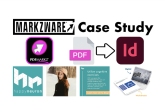
Can I Edit a PDF in InDesign?
Is that even possible? Yes, yes, it is!
Recently, over on Quora, someone basically asked the same question, “Can I edit a PDF in InDesign”. As you can read there, the short answer is yes, you can edit a PDF in InDesign! That is done with a stand-alone application from, you guessed it, Markzware!

PDF in InDesign
Markzware PDFMarkz offers conversion of multi-page PDFs to InDesign, with a click! There is, of course, also a host of advanced preferences – as you can see, in the following image. This InDesign plugin even converts interactive PDFs to Adobe InDesign!
PDFMarkz “Automation” feature to export PDF content as IDML

For most graphic designers or DTP operators, PDFMarkz (once downloaded) converts Portable Document Format files, with a click. Then, you also can edit your PDF files in Adobe InDesign!

The days of dealing with expensive and hard-to-use PDF editors in Acrobat are gone. Take control of your PDFs, by opening them in InDesign (the design software that you and numerous other industry professionals and clients use), via PDFMarkz by Markzware.
Can I edit a PDF in InDesign? You sure can!