

Export Canva PDFs & DTP to Other Files (File Formats & Image Formats): MarkzPortal, 780x1176: “Welcome to Markzware MarkzPortal” in White. “For Text Content Users Who Love Canva And DTP.” in Black. "For Text Content Users Who Love Canva & DTP” in Black. MarkzPortal Submenu Logotype. “Experience Now" in White & White Heart on Blue Button. Female in Orange Blouse Views Laptop. 5 Article Titles with “3. Export DTP Files as Text & Image Formats” Highlighted in White. All on Blue Rectangle Background (Portrait Mode)

Export Canva PDFs & DTP Files as Other File Formats & Image Formats: MarkzPortal

by Patty Talley August 08, 2024 MarkzPortal

Export Canva PDFs & DTP Files as Other File Formats & Image Formats with MarkzPortal: Use Markzware’s Solution Powered by

Read More
Convert Canva PDFs & DTP Files to Other DTP Formats: MarkzPortal, 780x1176: For Graphic Users Who Love Canva & DTP. Experience Now. 780x1176: “Welcome to Markzware MarkzPortal” in White. “For Graphics Users Who Love Canva & DTP” in Black. MarkzPortal Submenu Logotype. “Experience Now" in White & White Heart on Blue Button. Male in Blue Shirt Views Laptop. 5 Article Titles with “2. Convert Canva PDFs & More as Other Formats” Highlighted in White. All on Blue Rectangle (Portrait Mode).

Convert Canva PDFs & DTP Files to Other DTP Formats: MarkzPortal

by Patty Talley August 08, 2024 MarkzPortal

Convert Canva PDFs & DTP Files to Other DTP Formats with MarkzPortal. With Markzware’s SaaS Solution Powered by MarkzAPI, You

Read More
MarkzPortal Quick Start: Canva PDF & DTP File Converter Overview, 780x1176: For Creative Users Who Love Canva & DTP. Experience Now. (780x780). “Welcome to Markzware MarkzPortal” in White. "For Creative Users Who Love Canva & DTP” in Black. MarkzPortal Submenu Logotype. “Experience Now" in White & White Heart on Blue Button. Female in Red Blouse Views Laptop. All on Blue Rectangle Background (Portrait Mode). 5 Article Titles with “1. How to Quick Start MarkzPortal: Overview” Highlighted in White. All on Blue Rectangle (Portrait Orientation).

MarkzPortal Quick Start: Overview of DTP & Canva PDF File Converter

by Patty Talley August 08, 2024 MarkzPortal

MarkzPortal Quick Start: Overview of Canva PDF & DTP File Converter (Software as a Service). Easily Start Up Markzware’s Solution
Read More
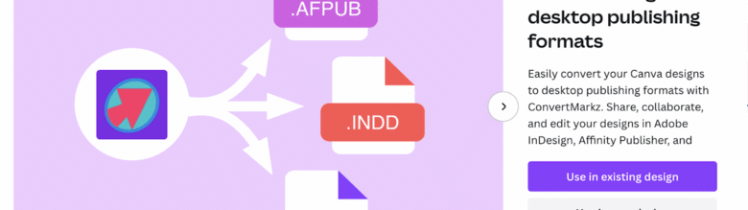
Convert Canva Design PDFs to Affinity Publisher, Adobe InDesign, & QuarkXPress: ConvertMarkz (user interface 780x400 GIF): ConvertMarkz Landing Page interface (ConvertMarkz Logo, Right Arrow, .AFPUB File, .INDD File, & .QXP File icons), ConvertMarkz Export interface (USA Road Trip preview & "Export to Convert" button with steps), and ConvertMarkz Preview interface (Gila Hot Springs document page image preview).

Convert Canva Design PDFs to Affinity Publisher, Adobe InDesign, & QuarkXPress: ConvertMarkz

by Patty Talley August 06, 2024 ConvertMarkz

Convert Canva Design PDFs to Affinity Publisher, Adobe InDesign, & QuarkXPress: ConvertMarkz is Markzware's application on Canva.com to convert Canva
Read More

How to Export Canva PDFs & DTP Files as Other File Formats & Image Formats: MarkzPortal

by Patty Talley July 31, 2024 MarkzPortal Tutorials

How to Export Canva PDFs & DTP Files as Other File Formats & Image Formats with MarkzPortal: Learn How to

Read More
How to Convert Canva PDFs & DTP Files to Other DTP Formats: MarkzPortal video thumbnail, white border, 1200x628. Markzware Logo. Canva, Affinity Publisher, Acrobat, Illustrator, & QuarkXPress Logos. "New!" in White on Blue Burst. MarkzPortal Submenu Logo. "for PDF users who" in Black. Blue Heart. "DTP" in Black. "How to Convert Canva PDFs & DTP Files to Other DTP Formats" in Blue on White Rectangle with Black Inline Frame inside Blue Frame.

How to Convert Canva PDFs & DTP Files to Other DTP Formats: MarkzPortal

by Patty Talley July 30, 2024 MarkzPortal Tutorials

How to Convert Canva PDFs & DTP Files to Other DTP Formats with MarkzPortal: Learn How to Use Markzware’s Solution

Read More

How to Quick Start MarkzPortal: Canva PDF & DTP File Converter Overview

by Patty Talley July 29, 2024 MarkzPortal Tutorials

How to Quick Start MarkzPortal: Canva PDF & DTP File Converter Overview of MarkzPortal Software as a Service. Learn How

Read More
How To Convert Canva PDF To Adobe InDesign File: A White “C” In A Blue Circle Over “PDF" In White Text Inside A Red Rectangle, Inside Black Outline Of Document, Followed By A Red Arrow & An InDesign Logo & White "INDD" Text In Red Rectangle Inside Of A Black Outline Of A Document

How To Convert A Canva PDF To Adobe InDesign: PDFMarkz App

by Patty Talley October 17, 2023 PDFMarkz

How To Convert A Canva PDF To Adobe InDesign: PDFMarkz App. Canva users can export their designs. Learn to convert

Read More

Stay Connected!

SUBSCRIBE
Close