

Windows user exporting a publishing document to structured JSON with MarkzPortal.

How Windows Users Can Export to JSON with MarkzPortal

by Kristin Sickler July 24, 2025 MarkzPortal, Structured Content & AI, Workflow Tips

Windows users can now export DTP files to JSON using MarkzPortal, Markzware’s powerful browser-based conversion solution. No macOS required!

Read More
Promotional graphic for MarkzPortal featuring the Markzware logo, app icons (including Canva, Affinity Publisher, PDF, Adobe Illustrator, QuarkXPress, and Microsoft Publisher), and a photo of David Dilling of Markzware. The headline reads: “MarkzPortal Launches One-Off Pricing for Instant DTP File Conversions.” The tagline below the MarkzPortal logo states: “Convert and Democratize Your Design Documents.”

MarkzPortal Launches One-Off Pricing for Instant DTP File Conversions

by Kristin Sickler April 29, 2025 MarkzPortal, MarkzPortal Tutorials

Discover how Markzware’s MarkzPortal makes one-off DTP file conversions fast, easy, and affordable—no subscription required! Learn how to upload, preview,

Read More
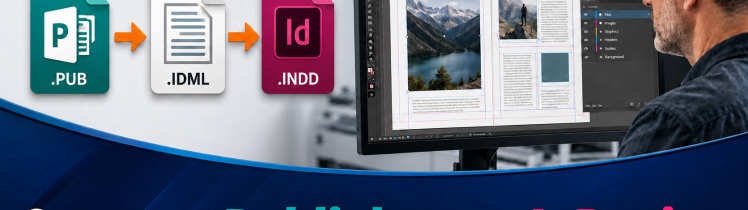
Microsoft Publisher to Affinity Publisher conversion workflow showing PUB to IDML to Affinity, with online MarkzPortal and local OmniMarkz conversion options.

Convert Microsoft Publisher to Affinity Publisher.

by Kristin Sickler March 27, 2025 MarkzPortal

Convert Microsoft Publisher (.PUB) files to IDML for editing in Affinity Publisher. Preview individual files online with MarkzPortal, or use
Read More
Thumbnail of a YouTube video titled 'How to Convert Microsoft Publisher Files to Adobe InDesign!' The image features the Microsoft Publisher and Adobe InDesign logos with an arrow indicating conversion. The text 'Microsoft Publisher to InDesign!' is prominently displayed. The MarkzPortal logo and website URL (markzportal.markzware.com) are also visible.

How to Convert Microsoft Publisher Files to Adobe InDesign 

by Kristin Sickler March 17, 2025 MarkzPortal

Convert Microsoft Publisher files to editable IDML for Adobe InDesign using MarkzPortal, or inventory and batch-process larger .PUB archives with
Read More
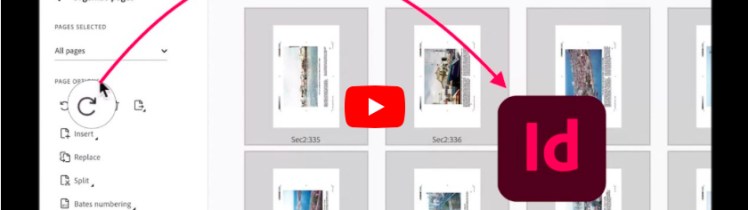
Thumbnail of a YouTube video titled 'How to Rotate PDF Pages and Convert to InDesign!' The image shows a PDF editing interface with an 'Organize pages' panel on the left and multiple previewed pages on the right. A red curved arrow points from a rotate icon to the Adobe InDesign logo, indicating the conversion process. The Markzware logo is visible in the bottom left corner

How to Rotate PDF Pages and Convert to InDesign

by Kristin Sickler March 11, 2025 MarkzPortal, OmniMarkz, PDFMarkz

In this video, David Dilling from Markzware demonstrates how to recover and restore a damaged InDesign file using Markzware’s powerful

Read More
A customer review video for MarkzPortal by BLC Spain, showcasing the conversion of Canva PDFs to InDesign files. The video features a clean interface with MarkzPortal branding, demonstrating the seamless transfer of design elements. Key visuals include the software in action, text overlays emphasizing ease of use, and a testimonial-style presentation. The background maintains a professional, modern aesthetic, reinforcing trust and efficiency in the conversion process.

How Francesca Forte Converts Canva PDFs to InDesign Using MarkzPortal

by Kristin Sickler February 26, 2025 MarkzPortal, Reviews

Discover how BLC Spain seamlessly converts Canva PDFs to InDesign using MarkzPortal! In this customer review, see how Markzware’s innovative

Read More
Convert Microsoft Publisher Files to IDML, PDF, JPEG, PNG, TIFF, GIF, TXT, RTF & HTML Online: MarkzPortal, 780x780. Markzware Logo in Black. MarkzPortal Logotype. “Convert Photoshop Files Online” in Black. Adobe Photoshop File Format Icon. “to Many File Formats, including” in Black. File Format Icons for IDML, PDF, JPEG, PNG, TIFF, GIF, TXT, RTF, & HTML. All in White Square with Black Frame.

Convert Microsoft Publisher Files Online with MarkzPortal

by Patty Talley November 22, 2024 MarkzPortal

Convert Microsoft Publisher Files to IDML, PDF, JPEG, PNG, TIFF, GIF, TXT, RTF & HTML Online: MarkzPortal, Markzware’s SaaS solution

Read More
Convert Adobe Photoshop Files to IDML, PDF, JPEG, PNG, TIFF, GIF, TXT, RTF & HTML Online, 780x780. Markzware Logo in Black. MarkzPortal Logotype. “Convert Photoshop Files Online” in Black. Adobe Photoshop File Format Icon. “to Many File Formats, including” in Black. File Format Icons for IDML, PDF, JPEG, PNG, TIFF, GIF, TXT, RTF, & HTML. All in White Square with Black Frame.

Convert Adobe Photoshop Files Online with MarkzPortal

by Patty Talley November 21, 2024 MarkzPortal

Convert Adobe Photoshop Files to IDML, PDF, JPEG, PNG, TIFF, GIF, TXT, RTF & HTML Online with MarkzPortal, Markzware’s SaaS
Read More
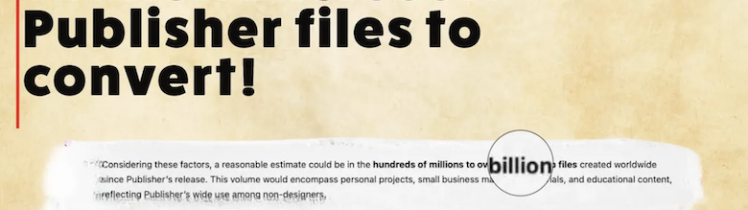
Convert Microsoft Publisher Files to PDF & DTP Formats Online: MarkzPortal, 780x438. “BREAKING NEWS” in White on Red Rectangle. Markzware Logo in White on Red. “1 Billion Microsoft Publisher files to convert!” in Black. “Considering these factors, a reasonable estimate could be in the hundreds of millions to over a billion files created worldwide, since Publisher’s release. This volume would encompass personal projects, small business materials, and educational content … reflecting Publisher’s wide use among non-designers.” in Black. MarkzPortal icon. “markzportal.markzware.com” in Black. All on beige parchment paper background.

Convert Microsoft Publisher Files to PDF & DTP Formats Online: MarkzPortal

by David Dilling November 20, 2024 MarkzPortal

Convert Microsoft Publisher Files to PDF & DTP Formats Online: Markzware's MarkzPortal SaaS solution streamlines your PDF and desktop publishing
Read More
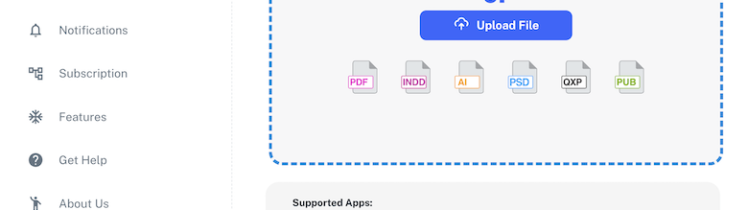
Convert Canva, PDF, Adobe InDesign, Illustrator, Photoshop, QuarkXPress & Microsoft Publisher Online 780x780. MarkzPortal User Interface with User’s Avatar, MarkzPortal Pages List, & Drag & Drop section under “Convert and Democratize Your Creative Design Documents” in Black. File Icons for PDF, INDD, Ai, PSD, QXP, & PUB. “Supported Apps:” in Black. Logos for Canva, InDesign, Affinity Publisher, Acrobat, Photoshop, QuarkXPress, & Illustrator. “Export Formats” in Black. File Icons for IDML, PDF, JPEG, PNG, TIFF, GIF, TXT, RTF, & HTML.

Convert PDF and Desktop Publishing Files Online with MarkzPortal

by Patty Talley November 15, 2024 MarkzPortal

Convert Canva, PDF, Adobe InDesign, Illustrator, Photoshop, QuarkXPress & Microsoft Publisher Online with MarkzPortal, Markzware’s Software as a Service to
Read More
Online Converter for Canva, Publisher, Photoshop, Illustrator, InDesign, PDF & QuarkXPress Users (780x780). Markzware Logo. MarkzPortal Logo. “Online Converter for Users of” in White Text. Logos for Canva, Affinity Publisher, Microsoft Publisher, Photoshop, Illustrator, InDesign, PDF & QuarkXPress. “markzportal.markzware.com” in White Text. All on Blue Background.

Online Converter for Canva, Publisher, Photoshop, Illustrator, InDesign, PDF & QuarkXPress Users

by Patty Talley November 09, 2024 MarkzPortal

Online Converter for Canva, Publisher, Photoshop, Illustrator, InDesign, PDF & QuarkXPress Users. Markzware’s SaaS solution, MarkzPortal, converts PDF & DTP
Read More
Microsoft Publisher file converted to editable Adobe InDesign through IDML with MarkzPortal

Convert Microsoft Publisher to Adobe InDesign Before October 2026

by David Dilling November 05, 2024 MarkzPortal, Microsoft Publisher End Of Life

Preview Microsoft Publisher files online and convert individual PUB documents to editable IDML for Adobe InDesign or Affinity Publisher with

Read More
MarkzPortal tutorial for extracting text and exporting images from PDF and DTP files

How to Extract Text & Images from PDF & DTP Files: MarkzPortal

by Patty Talley October 31, 2024 MarkzPortal Tutorials

How to Extract Text & Images from PDF & DTP Files: MarkzPortal (Pre-Release Beta). Markzware’s powerful SaaS solution enables users

Read More
Different File Types in Content Document Production Workflows: MarkzPortal Online PDF & DTP File Converter (Markzware White Paper). Markzware Logo & “White Paper” in Black. MarkzPortal Logo. “Supported Apps:” in Black. Canva, InDesign, Affinity Publisher, Acrobat, Photoshop, QuarkXPress, & Illustrator Logos. “Export Formats:” in Black. IDML, PDF, JPEG, TIFF, GIF, TXT, RTF, & HTML File Icons. All on a White Rectangle (Landscape Mode).

Different File Types in Content Document Production Workflows: MarkzPortal Online PDF & DTP File Converter (Markzware White Paper)

by Patty Talley August 30, 2024 MarkzPortal

Different File Types in Content Document Production Workflows: MarkzPortal Online PDF & DTP File Converter (Markzware White Paper). While Today's

Read More

Experience The MarkzPortal Journey: Online DTP & Canva PDF File Converter

by Patty Talley August 08, 2024 MarkzPortal

Experience The MarkzPortal Journey: Online DTP & Canva PDF File Converter / SaaS Solution by Markzware Will Convert Canva PDFs

Read More
Export Canva Adobe InDesign Affinity Publisher Acrobat Photoshop QuarkXPress Illustrator Files to Other DTP Formats: MarkzPortal, 780x1176: “Welcome to Markzware MarkzPortal” in White. “For Publishing Users Who Love Canva And DTP.” in Black. MarkzPortal Submenu Logotype. “Experience Now" in White & White Heart on Blue Button. Male in Orange/Black Plaid Shirt Views Laptop. 5 Article Titles with “5. Export Canva PDFs & More as DTP Formats” Highlighted in White. All on Blue Rectangle (Portrait Orientation).

Export Canva, Adobe InDesign, Affinity Publisher, Acrobat, Photoshop, QuarkXPress, or Illustrator Files as DTP Formats: MarkzPortal

by Patty Talley August 08, 2024 MarkzPortal

Export Canva, Adobe InDesign, Affinity Publisher, Acrobat, Photoshop, QuarkXPress, or Illustrator Files as DTP Formats with MarkzPortal Cloud-Based SaaS. This

Read More
Open Illustrator Files Without Adobe Illustrator App: MarkzPortal, 780x1176: “Welcome to Markzware MarkzPortal” in White. “For Illustrator Users Who Love Canva & DTP” in Black. MarkzPortal Submenu Logotype. “Experience Now" in White & White Heart on Blue Button. Female in Red Sweater Views Laptop. 5 Article Titles with “4. Open .ai files Without Adobe Illustrator” Highlighted in White. All on Blue Rectangle (Portrait Orientation).

Open Illustrator Files Without Adobe Illustrator App: MarkzPortal

by Patty Talley August 08, 2024 MarkzPortal

Open Illustrator Files Without Adobe Illustrator App with MarkzPortal: Learn how to access .ai files without using Adobe’s Illustrator application,

Read More
Export Canva PDFs & DTP to Other Files (File Formats & Image Formats): MarkzPortal, 780x1176: “Welcome to Markzware MarkzPortal” in White. “For Text Content Users Who Love Canva And DTP.” in Black. "For Text Content Users Who Love Canva & DTP” in Black. MarkzPortal Submenu Logotype. “Experience Now" in White & White Heart on Blue Button. Female in Orange Blouse Views Laptop. 5 Article Titles with “3. Export DTP Files as Text & Image Formats” Highlighted in White. All on Blue Rectangle Background (Portrait Mode)

Export Canva PDFs & DTP Files as Other File Formats & Image Formats: MarkzPortal

by Patty Talley August 08, 2024 MarkzPortal

Export Canva PDFs & DTP Files as Other File Formats & Image Formats with MarkzPortal: Use Markzware’s Solution Powered by

Read More
Convert Canva PDFs & DTP Files to Other DTP Formats: MarkzPortal, 780x1176: For Graphic Users Who Love Canva & DTP. Experience Now. 780x1176: “Welcome to Markzware MarkzPortal” in White. “For Graphics Users Who Love Canva & DTP” in Black. MarkzPortal Submenu Logotype. “Experience Now" in White & White Heart on Blue Button. Male in Blue Shirt Views Laptop. 5 Article Titles with “2. Convert Canva PDFs & More as Other Formats” Highlighted in White. All on Blue Rectangle (Portrait Mode).

Convert Canva PDFs & DTP Files to Other DTP Formats: MarkzPortal

by Patty Talley August 08, 2024 MarkzPortal

Convert Canva PDFs & DTP Files to Other DTP Formats with MarkzPortal. With Markzware’s SaaS Solution Powered by MarkzAPI, You

Read More
MarkzPortal Quick Start: Canva PDF & DTP File Converter Overview, 780x1176: For Creative Users Who Love Canva & DTP. Experience Now. (780x780). “Welcome to Markzware MarkzPortal” in White. "For Creative Users Who Love Canva & DTP” in Black. MarkzPortal Submenu Logotype. “Experience Now" in White & White Heart on Blue Button. Female in Red Blouse Views Laptop. All on Blue Rectangle Background (Portrait Mode). 5 Article Titles with “1. How to Quick Start MarkzPortal: Overview” Highlighted in White. All on Blue Rectangle (Portrait Orientation).

MarkzPortal Quick Start: Overview of DTP & Canva PDF File Converter

by Patty Talley August 08, 2024 MarkzPortal

MarkzPortal Quick Start: Overview of Canva PDF & DTP File Converter (Software as a Service). Easily Start Up Markzware’s Solution

Read More

Stay Connected!

SUBSCRIBE
Close