Convert Canva to InDesign Without Native App, Save Time: ConvertMarkz Review by Language Artist/Author/Producer
Pamela Sackett, Principal Artist & Founder / Language Artist, Author, & Producer, Emotion Literacy Advocates, provides a review of Markzware‘s Canva App, ConvertMarkz. This document converter will convert Canva design content to Affinity Publisher, Adobe InDesign, and QuarkXPress:
The Miracle!
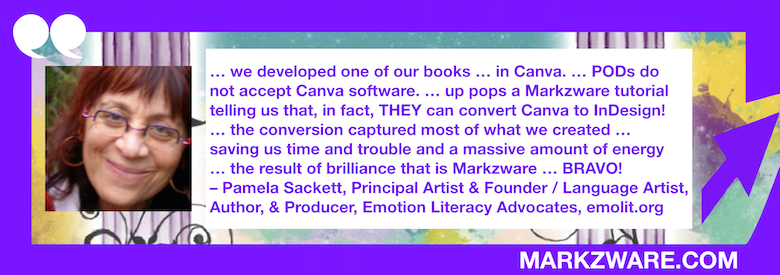
For the first time–for a number of reasons–we developed one of our books–not in the standard InDesign software but in Canva. Little did we know that this would pose a tremendous problem as PODs do not accept Canva software.
– Pamela Sackett, Principal Artist & Founder / Language Artist, Author, & Producer, Emotion Literacy Advocates, https://www.emolit.org
Although google confirmed our greatest fear, that there is [supposedly] no way to negotiate a Canva file or convert it to InDesign, I was determined to find a way … up pops a Markzware tutorial telling us that, in fact, THEY can convert Canva to InDesign!
Seemed too good to be true but, lo and behold, it was true and what could have meant a wholly dispiriting reality of losing all that precious time with the Canva file–designing, developing, formatting, editing, tweaking, “finishing” the book file–the conversion captured most of what we created with just a comparatively few adjustments required to prepare the book file for print submission!
Relief and gratitude abounds in our generative sphere, saving us time and trouble and a massive amount of energy…the result of brilliance that is Markzware, administered to our organization with grace, kindness, patience, confidence and skill … Will wonders never cease? Hopefully they shall continue! BRAVO!
About Emotion Literacy Advocates
Emotion Literacy Advocates (ELA), the 501(c)3 non-profit organization, was founded in January 2001, through a collaboration between Pamela and a small group of devoted artists and activists with backgrounds ranging from publishing, education, science, human services, information technology, and, of course, the arts. Since the organization began, the breadth of ELA learning tools and applications continue to expand. In collaboration with actors, singers, visual and technical artists and editors, Pamela’s practice of employing language art, theatre and visual arts and music benefit an ever-widening range of individuals and groups, as they explore and fine-tune their communication capacities within and between.

Edit Canva Designs in Other Formats Without the Native App
Markzware‘s ConvertMarkz app in the Canva marketplace allows designers to preview, convert, and open Canva design files in Adobe InDesign, Affinity Publisher, and QuarkXPress layout applications for desktop publishing. ConvertMarkz gives you a head-start on Canva file conversion. Easily convert Canva designs to formats you can share, with ConvertMarkz. Collaborate and edit your designs in Affinity Publisher, Adobe InDesign, & QuarkXPress with ease.

ConvertMarkz User Interface

Easily convert your Canva designs to desktop publishing formats with ConvertMarkz.
Share, collaborate, and edit your designs in Adobe InDesign, Affinity Publisher, and QuarkXPress.
Apps For Canva, Affinity Publisher, InDesign, & QuarkXPress Workflows
Markzware offers software for creatives and other content creators to preview, preflight, export, and convert PDF and desktop publishing documents. Become a Markzware Reseller or a Markzware Affiliate.
To get the latest news about Markzware products and print industry-related news, join our mailing list. You can also follow Markzware on X, LinkedIn, YouTube, Facebook, and other social media websites.
Convert Canva to InDesign Without Native App, Save Time: ConvertMarkz Review by Language Artist/Author/Producer