
How to deactivate and remove Markzware‘s Quark XTension, ID2Q for QuarkXPress 10 on the Macintosh platform:
This article explains deactivation and removal of ID2Q for QuarkXPress 10 Mac, conversion software to convert InDesign to QuarkXPress. While this shows how to deactivate and remove ID2Q for QXP 10, the same general steps apply to ID2Q for QXP 9 and QXP 8. The name of the Setup file to run reflects the QuarkXPress version under which you are running ID2Q.
ID2Q Run Installer
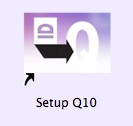 To begin the deactivation process, run the ID2Q Installer by double-clicking on the Setup QXP 10 icon. This is the same installer you used when first installing ID2Q. If you do not have your installer available, you may re-download it from the link that came with your original order.
Click Remove
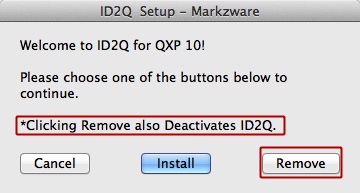 Click on the Remove button to begin the Uninstall/Deactivation process.
**Note the message that “*Clicking Remove also Deactivates ID2Q”.
Enter your Password
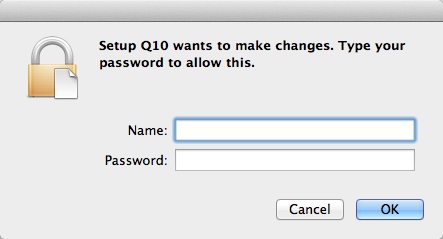 If you are logged in as an Admin you will be asked to enter your Admin name and password. If you are logged into a non-admin account, you will still be prompted to enter an Admin username and password in order to proceed.
ID2Q Mac Removal and Deactivation Complete
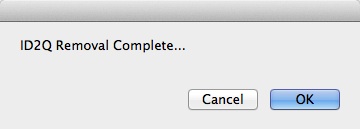 Once ID2Q has been removed/deactivated, you will see a confirmation screen. Click OK to close the window.
ID2Q has now been removed and deactivated. You may now load ID2Q onto another Mac computer and continue to convert InDesign to QuarkXPress.
For more information on Markzware’s XTension for data conversion to import InDesign into QuarkXPress, please visit the ID2Q page. For more desktop publishing (DTP) solutions and conversion tools, please visit the Markzware Products page.
Markzware ID2Q for QuarkXPress 10 Mac Deactivation and Removal


